

Note: This article is part of a series on Figma Fundamentals.
This lesson outlines Figma’s version history functionality, including accessing, managing, comparing versions, and reverting to earlier iterations. The goal is to empower designers to track design progress and maintain control over the evolution of their projects.
Accessing Version History
Figma maintains a comprehensive version history that allows users to review and restore previous iterations of design files.
Reviewing Versions
Users can access version history through File → Show Version History, where they can browse snapshots of a file’s evolution over time. Each version represents a specific stage of the design.
Restoring Previous Versions
Designers can restore earlier versions of a file, giving them flexibility to revert to specific iterations whenever needed.
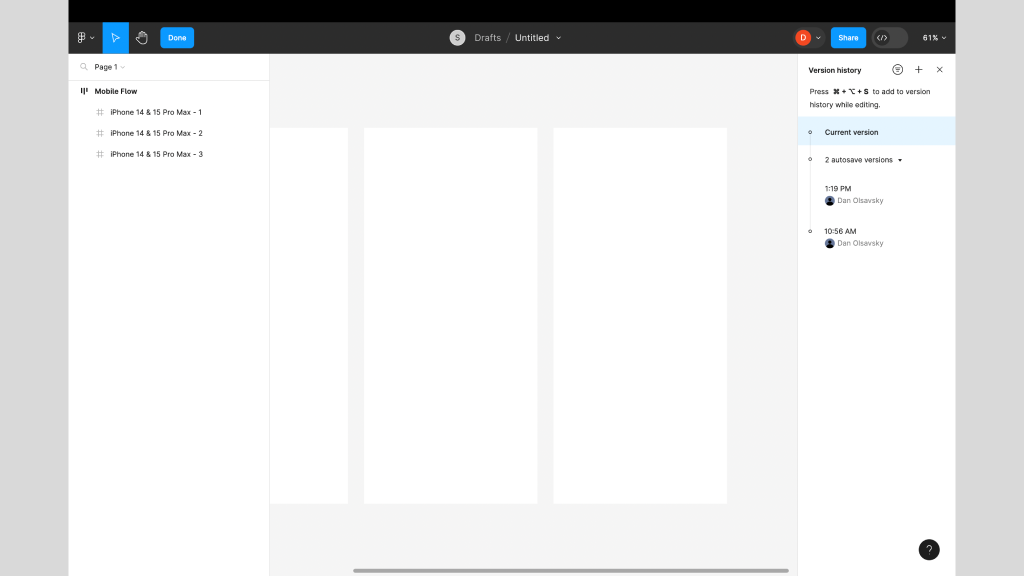
Caption:This screenshot displays the Version History panel on the right.
Managing Changes Over Time
Figma’s version history allows users to compare versions, track modifications, and better understand how a design has evolved.
Comparing Versions
Designers can view two versions side by side to visualize what changed between iterations. This makes it easier to understand progress and decision paths.
Tracking Modifications
Figma records and displays what elements were added, removed, or altered in each version, helping teams maintain clarity and accountability.
Reverting to Older Versions
Version history empowers designers to safely explore ideas while maintaining the ability to return to stable points in time.
Restoring Specific Iterations
Users can quickly revert to older versions, ensuring flexibility when experimenting or recovering from mistakes.
Maintaining Design Integrity
Reverting preserves the integrity of a design and protects against unintended changes.
Exercise: Archiving Pages in a File
To reinforce these concepts, complete the following exercise while watching the accompanying tutorial. Follow along in Figma using any existing or new file. This hands-on activity helps solidify your understanding and builds real-time proficiency.
Video Tutorial:
Parting Words
As we conclude this week’s lesson on Figma Fundamentals, thank you for being part of the learning journey. Join me again next week as we continue exploring new topics. If you would like to continue the conversation, share your thoughts in the comments. If you found this article helpful, consider sharing it with your network. Keep practicing, experimenting, and refining your skills. Design is a journey of continuous improvement.
Leave a Reply