
Tag: Product Design

  • Designing with Empathy: User Research Techniques

    Designing with Empathy: User Research Techniques

    In this lesson, we dive into the practical strategies essential for gathering, analyzing, and interpreting user insights. From conducting insightful interviews, crafting impactful surveys, to astute observations, we’ll explore diverse methods for collecting rich user data. Through real-world examples and hands-on approaches, you’ll gain the skills needed to distill this data into actionable insights that drive informed design decisions.

    Conducting Effective User Interviews, Surveys, and Observations

    Mastering user interviews involves framing open-ended questions that encourage detailed responses. For instance, in an app development scenario, asking users about their frustrations with current apps can reveal pain points. Crafting surveys with concise yet comprehensive questions, such as rating features on a scale of importance, can offer quantifiable insights. Observations, like tracking how users navigate a website, unveil behaviors difficult to capture through direct questioning.

    Example Questions

    1. Tell me about a recent experience using [Product/Service]. What stood out to you the most during that experience?
    2. Can you walk me through the process of [specific task or goal]? What steps did you take, and were there any challenges along the way?
    3. How do you typically [use/interact with] [Product/Service]? What do you like/dislike about this process?
    4. Could you describe a situation where [Product/Service] exceeded your expectations? What made that experience memorable?
    5. When it comes to [specific feature or aspect], what would make it more useful/easier for you?
    6. What frustrations or challenges have you encountered while [using/navigating] [Product/Service]? How did it impact your overall experience?
    7. Can you share an instance where [Product/Service] made a significant impact on your daily routine or work? How did it influence your tasks or decisions?

    Analyzing and Synthesizing User Research Data

    Consider a scenario where interview transcripts and survey responses need synthesis. Coding similar themes or sentiments across different data sources can reveal patterns. Tools like affinity diagrams or journey maps can organize these patterns, providing visual representations that aid analysis. Synthesizing data might involve recognizing that user complaints about slow loading times align with frustration during peak traffic hours.

    user testing feedback example

    Interpreting Insights for Design Decision Making

    Imagine discovering through research that users struggle with the app’s onboarding process. This insight could lead to a redesign focusing on simplifying the initial user experience. Understanding that users prefer a streamlined checkout process could prompt the elimination of unnecessary steps. Interpreting insights might mean recognizing that a specific demographic prefers visual cues over written instructions, impacting interface design choices.

    Interpreting insights from user testing and effectively sharing them with stakeholders is crucial for informing decision-making and driving improvements in the design process. Here’s how you can do it:

    • Highlight Key Findings: Summarizing the most significant insights helps stakeholders quickly grasp the essential takeaways from the user testing sessions. This ensures that key areas for improvement or further exploration are clearly identified and prioritized.
    • Recommendations for Improvement: Providing clear and actionable recommendations based on the insights gathered from user testing guides stakeholders on the next steps for improving the design. This helps translate insights into concrete actions that drive meaningful changes in the design process.
    • Engage Stakeholders: Engaging stakeholders in a collaborative discussion about the insights from user testing fosters a shared understanding and buy-in for proposed changes. It allows for questions, feedback, and contributions from stakeholders, ensuring that decisions are informed by a diverse range of perspectives.

    By following these steps, you can effectively interpret insights from user testing and communicate them to stakeholders in a way that informs decision-making and drives improvements in the design process.

    Key Takeaways

    • Effective Data Gathering: Different methods like interviews, surveys, and observations offer unique insights into user behavior.
    • Data Analysis Proficiency: Organizing data using tools like affinity diagrams aids in recognizing user patterns and pain points.
    • Data-Driven Design Decisions: Interpreting research insights directly influences design choices for improved user experiences.

    By exploring these techniques with practical examples, this lesson equips designers to not only gather data effectively but also to distill and interpret it in ways that significantly impact design decisions.


    Thank you for taking the time to read my article! I value your interest and engagement. I invite you to continue the conversation by sharing your thoughts, questions, or feedback in the comments section below.

    Don’t forget to like and share this article with your network if you found it valuable. And remember to check back in a couple weeks for my next insightful article. Until then, stay creative and keep exploring!


  • Designing with Empathy: Introduction to Empathetic Design

    Designing with Empathy: Introduction to Empathetic Design

    This lesson sets the stage for an empathetic design journey, highlighting the pivotal role empathy plays in creating ethically sound, culturally sensitive, and user-centric solutions. Through discussions, case studies, and interactive activities, participants will grasp the transformative power of empathy in design thinking.

    Understanding the Role of Empathy in Design Thinking

    Empathy lies at the foundation of successful design thinking, serving as the bridge between the designer and the user. Empathy is the driving force in the creative process. By grasping users’ needs, desires, and pain points, designers gain invaluable insights that inform thoughtful, user-centric solutions. Empathy enables designers to step into users’ shoes, fostering a deep understanding that transcends mere functionality and aesthetics.

    Empathy is the driving force in the creative process.

    Ethics and Cultural Sensitivity in Design Practices

    In today’s diverse and interconnected world, ethics and cultural sensitivity stand as indispensable pillars of design. Within design practices, ethical considerations underscore the significance of cultural awareness and inclusivity. It entails designing for a multitude of cultural contexts and recognizing the ethical responsibilities that designers hold in ensuring their creations are respectful, inclusive, and mindful of diverse perspectives.

    Here are three examples of how you can practice ethics and cultural sensitivity in design:

    1. Research and Understanding: Conduct thorough research and strive to understand the cultural backgrounds, values, and norms of the target audience. This includes engaging with diverse communities, consulting cultural experts, and immersing yourself in relevant literature and resources. By gaining insights into different cultural perspectives, you can design more inclusive and culturally sensitive solutions.
    2. Inclusive Design Principles: Incorporate inclusive design principles into your design process. This involves considering the needs and preferences of diverse users, including those with disabilities, different cultural backgrounds, and varying levels of technological literacy. Designing with inclusivity in mind (particularly in your imagery) ensures that your products and services are accessible and equitable for all users.
    3. User Testing and Feedback: Conduct user testing with diverse groups of users to gather feedback and insights from different cultural perspectives. Encourage open and honest communication, and actively listen to the experiences and suggestions of users from various cultural backgrounds. By incorporating diverse feedback into your design iterations, you can refine your solutions to better meet the needs of all users.

    By implementing these practices, you can demonstrate a commitment to ethics and cultural sensitivity in your design work, fostering more inclusive and empathetic solutions that resonate with diverse audiences.

    Significance of Empathy in User-Centered Solutions

    Empathy is the cornerstone of user-centered design, fundamentally altering the way products and services are conceptualized and delivered. Empathetic design fosters a deeper connection between users and their experiences. By understanding users’ emotions, motivations, and behaviors, designers can craft solutions that resonate on a profound level, leading to increased user satisfaction, loyalty, and a more impactful overall user experience.

    Practicing empathy as a designer involves actively seeking to understand and empathize with your users’ perspectives, needs, and experiences.

    Here are some ways you can practice empathy:

    • Empathy Interviews: Conduct empathy interviews where you ask open-ended questions and actively listen to users’ stories, emotions, and experiences. Focus on understanding their perspectives without judgment or bias.
    • Empathy Maps: An empathy map is a visual tool used to understand and empathize with users by capturing their thoughts, feelings, actions, and needs. It helps designers and teams gain deeper insights into users’ experiences, motivations, and challenges, allowing them to create more empathetic and user-centered solutions.
    • Persona Development: Create user personas based on your research findings to represent different user groups. Use personas to empathize with users’ needs, goals, and preferences throughout the design process.

    By incorporating these practices into your design process, you can cultivate empathy as a designer and create solutions that truly resonate with and address the needs of your users.

    Key Takeaways

    • Empathy as a Design Catalyst: Empathy is the catalyst that propels design thinking, enabling designers to deeply understand user needs and motivations.
    • Ethical Design Principles: Cultural sensitivity and ethical considerations are integral to design, ensuring inclusivity and respect for diverse perspectives.
    • Impact of Empathy in User-Centricity: Empathetic design transforms products and services, creating meaningful connections and enhancing overall user experiences.

    Parting Words

    This lesson has set a solid foundation for understanding empathetic design, highlighting empathy’s transformative power in creating ethically sound, culturally sensitive, and user-centric solutions. Through discussions and examples, we’ve covered the pivotal role of empathy in design thinking, gaining insights into users’ needs and perspectives.

    Additionally, we’ve learned about the importance of ethics and cultural sensitivity in design, with practical examples and strategies provided. Moving forward, let’s emain committed to empathy, ethics, and cultural sensitivity as we strive to create impactful experiences for all users.


    Thank you for taking the time to read my article! I value your interest and engagement. I invite you to continue the conversation by sharing your thoughts, questions, or feedback in the comments section below.

    Don’t forget to like and share this article with your network if you found it valuable. And remember to check back in a couple weeks for my next insightful article. Until then, stay creative and keep exploring!

  • Designing with Empathy: User research, personas, and journey mapping

    Designing with Empathy: User research, personas, and journey mapping

    This course is a journey into the heart of user-centered design, where empathy serves as the guiding principle. In an increasingly interconnected world, understanding and connecting with users on a profound level is paramount for impactful design.

    Through seven comprehensive lessons, we’ll dive into the intricate nuances of empathetic design, exploring user research methodologies, persona creation, journey mapping, and the seamless integration of empathy into every stage of the design process. Get ready to revolutionize your approach to design by placing empathy at its core.

    Outline

    • Lesson 1: Introduction to Empathetic Design
      • Understanding the Role of Empathy in Design Thinking
      • Ethics and Cultural Sensitivity in Design Practices
      • Significance of Empathy in User-Centered Solutions
    • Lesson 2: User Research Techniques
      • Conducting Effective User Interviews, Surveys, and Observations
      • Analyzing and Synthesizing User Research Data
      • Interpreting Insights for Design Decision Making
    • Lesson 3: Crafting User Personas
      • Defining and Constructing Comprehensive User Personas
      • Utilizing Empathy Maps for Persona Development
      • Refinement Strategies for Iterative Persona Building
    • Lesson 4: Journey Mapping Strategies
      • Creating Comprehensive Customer Journey Maps
      • Identifying Touchpoints and Pain Points in User Experience
      • Mapping Emotional States Throughout User Interaction
    • Lesson 5: Infusing Empathy into Design Processes
      • Integrating Empathy in UI/UX Design
      • Collaborative Approaches with Stakeholders through Empathetic Lens
      • Establishing Feedback Loops for Ongoing Empathy Integration
    • Lesson 6: Empathy in Product Development
      • Implementing Empathy in Ideation and Prototyping
      • Testing for User Empathy and Emotional Response
      • Balancing Empathy with Functional and Business Objectives
    • Lesson 7: Evaluating and Scaling Empathetic Design
      • Measuring Empathy in Design: Metrics and Assessment Tools
      • Strategies for Scaling Empathy Across Teams and Organizations
      • Real-World Case Studies and Best Practices in Empathetic Design Implementation

    Each lesson will provide a comprehensive understanding and practical application of empathy-driven design principles, enabling participants to create products and services that deeply resonate with users’ needs and emotions.


    Thank you for taking the time to read my article! I value your interest and engagement. I invite you to continue the conversation by sharing your thoughts, questions, or feedback in the comments section below.

    Don’t forget to like and share this article with your network if you found it valuable. And remember to check back in a couple weeks for my next insightful article. Until then, stay creative and keep exploring!

  • From Pixels to Presentations: Handling Questions and Feedback

    From Pixels to Presentations: Handling Questions and Feedback

    Introduction

    Welcome to Lesson 4 of “From Pixels to Presentations: The Art of the Design Demo.” In this lesson, we’ll focus on handling questions and feedback during your demo with confidence, professionalism, and grace. Effectively managing inquiries, concerns, and feedback from your audience is essential for fostering meaningful dialogue, collaboration, and a positive experience for all participants.

    Gain Confidence in Responding

    Responding to inquiries and addressing concerns during your demo requires confidence and preparation. We’ll explore techniques for building confidence in your ability to answer questions effectively and address concerns with clarity and poise. From anticipating common questions to practicing active listening, you’ll learn how to navigate inquiries with confidence and professionalism.

    Here are some techniques to help you build confidence:

    1. Know Your Material: Thoroughly familiarize yourself with your design solution, its features, benefits, and value proposition. Understand how it addresses common pain points and challenges faced by your audience. The more you know about your design, the more confident you’ll feel discussing it.
    2. Anticipate Questions: Take time to anticipate potential questions that your audience may ask during the demo. Consider common concerns, objections, or points of confusion that may arise. Prepare concise and articulate responses to address these questions with clarity and confidence.
    3. Practice Active Listening: Practice active listening during your demo to ensure that you understand each question or concern fully before responding. Listen attentively to your audience’s inquiries, and take a moment to process their question before providing a thoughtful response. This demonstrates respect for their input and helps you formulate more effective answers.
    4. Rehearse Responses: Rehearse your responses to anticipated questions and concerns to ensure that you can articulate them clearly and confidently during the demo. Practice speaking slowly and clearly, maintaining eye contact with your audience, and using confident body language to convey assurance.
    5. Stay Calm and Composed: Maintain a calm and composed demeanor during the demo, even when faced with challenging questions or feedback. Take deep breaths and remind yourself that it’s natural to encounter questions or concerns during a presentation. Project confidence through your tone of voice, posture, and facial expressions.
    6. Acknowledge Limitations: If you don’t know the answer to a question, don’t hesitate to acknowledge it honestly. Offer to follow up with additional information or resources after the demo. Admitting when you don’t have all the answers demonstrates humility and authenticity, which can enhance your credibility with your audience.
    7. Focus on Solutions: When addressing concerns or objections raised by your audience, focus on solutions rather than dwelling on problems. Frame your responses in a positive light, emphasizing how your design solution addresses the issue at hand and offers a viable solution.
    8. Seek Feedback: After each demo, solicit feedback from trusted colleagues or mentors to gain insights into areas for improvement. Use constructive feedback to refine your presentation skills and enhance your ability to respond to questions and concerns effectively in future demos.

    By implementing these techniques and approaches, you can build confidence in your ability to answer questions effectively and address concerns with clarity and poise during your design demos. With preparation, practice, and a positive attitude, you’ll be well-equipped to engage with your audience and deliver a successful presentation.

    Learn Strategies for Fostering Dialogue

    Fostering meaningful dialogue and collaboration with your audience is key to creating an engaging and interactive demo experience. We’ll discuss strategies for encouraging participation, soliciting feedback, and facilitating open communication during your demo. By creating a supportive and inclusive environment, you’ll foster a sense of collaboration and partnership with your audience.

    Here are some strategies for encouraging participation, soliciting feedback, and facilitating open communication during your design demos:

    1. Set Expectations: Begin your demo by setting clear expectations for audience participation and feedback. Encourage attendees to ask questions, share their thoughts, and provide feedback throughout the presentation. Let them know that their input is valuable and welcome.
    2. Interactive Q&A Sessions: Incorporate interactive Q&A sessions throughout your demo to encourage participation and engagement. Pause periodically to invite questions from the audience and address them in real-time. Encourage attendees to raise their hands or use chat features to ask questions.
    3. Use Polls or Surveys: Integrate polls or surveys into your demo to gather feedback and opinions from your audience. Ask targeted questions related to specific features, preferences, or challenges to stimulate discussion and collect valuable insights. Share the results with the audience to foster dialogue and collaboration.
    4. Breakout Discussions: Organize breakout discussions or small group activities during your demo to facilitate deeper engagement and collaboration. Divide participants into smaller groups to discuss specific topics or brainstorm ideas related to your design. Encourage groups to share their insights and findings with the larger audience afterward.
    5. Live Demonstrations: Incorporate live demonstrations or hands-on activities into your demo to encourage active participation from your audience. Allow attendees to interact with your design solution in real-time, exploring its features and functionality firsthand. Encourage them to provide feedback based on their experiences.
    6. Encourage Feedback Channels: Provide multiple channels for attendees to submit feedback, such as live chat, online forms, or post-demo surveys. Make it easy for participants to share their thoughts, suggestions, and concerns anonymously if desired. Emphasize that all feedback is valuable and will be considered seriously.
    7. Active Listening: Practice active listening during your demo to ensure that you hear and understand the perspectives of your audience. Acknowledge and validate their contributions, whether they’re asking questions, sharing feedback, or expressing opinions. Respond thoughtfully to demonstrate that you value their input.
    8. Create a Safe Environment: Foster a supportive and inclusive environment where participants feel comfortable expressing their thoughts and opinions. Encourage open dialogue and constructive criticism while maintaining respect and professionalism. Demonstrate empathy and understanding toward different viewpoints.
    9. Follow-Up Opportunities: Provide opportunities for attendees to continue the conversation and provide feedback after the demo. Share contact information or resources for further discussion, and invite participants to reach out with additional questions or ideas. Follow up with personalized responses to demonstrate your commitment to ongoing communication.

    By implementing these strategies, you can encourage active participation, solicit valuable feedback, and facilitate open communication during your design demos. Creating an engaging and collaborative environment will enhance the overall experience for both you and your audience.

    Discover Techniques for Handling Feedback

    Handling feedback with professionalism and grace is essential for maintaining a positive and constructive atmosphere during your demo. We’ll explore techniques for receiving feedback gracefully, acknowledging concerns respectfully, and responding thoughtfully to criticism. By approaching feedback with an open mind and a willingness to learn, you’ll ensure that all participants feel heard and valued.

    Here are some techniques for receiving feedback gracefully, acknowledging concerns respectfully, and responding thoughtfully to criticism:

    1. Remain Open-Minded: Approach feedback with an open mind and a willingness to consider different perspectives. Resist the urge to become defensive or dismissive, even if the feedback is unexpected or challenging. Instead, view feedback as an opportunity for growth and improvement.
    2. Listen Actively: Practice active listening when receiving feedback, focusing on understanding the speaker’s perspective fully. Avoid interrupting or jumping to conclusions before the speaker has finished expressing their thoughts. Show genuine interest in what they have to say by maintaining eye contact, nodding, and paraphrasing their points to ensure clarity.
    3. Express Gratitude: Express gratitude to the individual providing feedback, regardless of whether it’s positive or negative. Thank them for taking the time to share their thoughts and insights, acknowledging the value of their contribution to the conversation. A simple “Thank you for your feedback” can go a long way in fostering a positive exchange.
    4. Validate Concerns: Validate the concerns raised by the individual by acknowledging their validity and importance. Reflect back on what they’ve shared, summarizing their points to demonstrate that you’ve understood them correctly. This shows that you’re taking their feedback seriously and respecting their perspective.
    5. Ask Clarifying Questions: Seek clarification on any feedback that is unclear or ambiguous by asking probing questions. Encourage the individual to elaborate on their points, providing specific examples or suggestions for improvement. Clarifying questions demonstrate your commitment to understanding their perspective fully.
    6. Avoid Defensiveness: Resist the temptation to become defensive or argumentative in response to criticism. Instead, maintain a calm and composed demeanor, refraining from making excuses or shifting blame. Acknowledge any mistakes or shortcomings gracefully, showing humility and accountability.
    7. Seek Feedback Patterns: Look for patterns or recurring themes in the feedback you receive from multiple sources. Identify common areas for improvement or recurring concerns that warrant further attention. Use this feedback to inform your decision-making and prioritize areas for growth and development.
    8. Respond Thoughtfully: Take the time to craft a thoughtful response to feedback, addressing each point respectfully and constructively. Avoid knee-jerk reactions or hastily dismissing feedback without careful consideration. Provide specific actions or plans for addressing concerns and implementing suggested changes, demonstrating your commitment to continuous improvement.
    9. Follow Up: Follow up with the individual who provided feedback to share how you’ve addressed their concerns or implemented their suggestions. Provide updates on any changes or improvements made based on their feedback, showing appreciation for their input and demonstrating your responsiveness to their needs.

    By incorporating these techniques into your approach to receiving feedback, you can create a positive and constructive environment for dialogue and collaboration. Embracing feedback as an opportunity for growth and learning will ultimately benefit both you and your design process.

    Conclusion

    By mastering the techniques and strategies outlined in this lesson, you’ll be equipped to handle questions and feedback during your demo with confidence, professionalism, and grace. Let’s dive in and discover how to foster meaningful dialogue, collaboration, and a positive experience for all participants.


    Thank you for taking the time to read my article! I value your interest and engagement. I invite you to continue the conversation by sharing your thoughts, questions, or feedback in the comments section below.

    Don’t forget to like and share this article with your network if you found it valuable. And remember to check back in a couple weeks for my next insightful article. Until then, stay creative and keep exploring!

  • From Pixels to Presentations: Creating Engaging and Interactive Demos

    From Pixels to Presentations: Creating Engaging and Interactive Demos

    Introduction

    Welcome to Lesson 3 of “From Pixels to Presentations: The Art of the Design Demo.” In this lesson, we’ll explore techniques for creating engaging and interactive demos that captivate your audience and bring your design to life.

    By leveraging technology and incorporating interactive elements, you can create immersive experiences that resonate with your audience and showcase the full potential of your design solution.

    Explore Techniques for Engagement

    Engaging your audience is key to creating a memorable demo experience. Here are seven effective techniques for capturing and maintaining your audience’s attention throughout your design demo presentation:

    1. Start with a Compelling Hook: Begin your presentation with a compelling hook or attention-grabbing opening statement that piques your audience’s curiosity and draws them in from the start. This could be a thought-provoking question, an intriguing statistic, a captivating story, or a visually stunning image. The goal is to immediately capture their attention and set the tone for the rest of the presentation.
    2. Use Visual Aids and Multimedia: Incorporate visually engaging elements such as images, videos, animations, and interactive graphics into your presentation to enhance comprehension and retention. Visual aids not only break up the monotony of slides but also provide additional context and appeal to different learning styles. Keep visuals concise, relevant, and high-quality to maximize their impact.
    3. Tell Stories: Harness the power of storytelling to make your presentation more engaging and memorable. Weave narratives, anecdotes, or case studies throughout your demo to illustrate key points, evoke emotions, and create a connection with your audience. Stories have a unique ability to captivate attention, stimulate imagination, and make complex information more relatable and accessible.
    4. Keep it Interactive: Foster interactivity and engagement by involving your audience in the presentation process. Incorporate interactive elements such as polls, quizzes, live demos, Q&A sessions, or group activities to encourage participation and collaboration. Engaging your audience actively in the presentation keeps them invested and attentive throughout.
    5. Maintain a Dynamic Pace: Keep your presentation dynamic and engaging by varying the pace, tone, and format of your delivery. Avoid monotony by interspersing different types of content, transitioning between slides smoothly, and incorporating pauses or moments of reflection. Use pacing techniques such as storytelling arcs, suspenseful reveals, or unexpected twists to maintain intrigue and momentum.
    6. Use Humor and Wit: Inject humor and wit into your presentation to lighten the mood, entertain your audience, and create a more relaxed atmosphere. Incorporate witty anecdotes, humorous anecdotes, or clever wordplay strategically throughout your presentation to add levity and charm. Just be mindful of your audience’s sensibilities and ensure that humor aligns with the tone and context of your presentation.
    7. End with a Strong Call to Action: Conclude your presentation with a strong call to action that inspires your audience to take the next steps or engage further with your design solution. Whether it’s signing up for a trial, scheduling a demo, or sharing feedback, clearly articulate what you want your audience to do next and why it’s important. A compelling call to action leaves a lasting impression and motivates action beyond the presentation.

    By incorporating these techniques into your design demo presentation, you can effectively capture and maintain your audience’s attention, ensuring that they remain engaged, interested, and receptive to your message throughout.

    Leverage Technology for Immersive Experiences

    Technology offers endless possibilities for creating immersive and interactive demo experiences. Leveraging tools and platforms such as augmented reality (AR), virtual reality (VR), and interactive presentations can significantly enhance audience engagement during your design demo presentation. Here’s how you can effectively use these technologies to captivate your audience on a deeper level:

    Augmented Reality (AR)

    • Bring your design to life in the real world by overlaying digital content onto physical environments using AR technology.
    • Create interactive AR experiences that allow your audience to visualize your design in their own space, such as on a tabletop or in a room.
    • Use AR markers or QR codes to trigger immersive AR content, enabling users to explore different aspects of your design in a hands-on way.
    • Incorporate interactive elements such as animations, 3D models, or product demonstrations into your AR experience to engage users and enhance their understanding of your design.

    Virtual Reality (VR)

    • Transport your audience to immersive virtual environments where they can experience your design in a fully immersive way.
    • Create virtual walkthroughs or tours of your design, allowing users to explore every detail from different perspectives.
    • Use VR interactions such as hand gestures or controllers to enable users to interact with objects or manipulate elements within the virtual environment.
    • Incorporate storytelling elements into your VR experience to guide users through a narrative or scenario that highlights the key features and benefits of your design.

    Interactive Presentations

    • Create interactive presentations that allow users to engage with your design in a dynamic and hands-on way.
    • Use interactive slideshows or multimedia presentations to convey information visually and engage multiple senses.
    • Incorporate interactive elements such as clickable buttons, hotspots, or navigation menus to allow users to control the flow of the presentation and explore additional content at their own pace.
    • Integrate multimedia elements such as videos, animations, or audio clips to provide additional context and enhance the overall presentation experience.

    Customized Experiences

    • Tailor the experience to your audience’s preferences and interests by creating customized AR, VR, or interactive presentations that address their specific needs and priorities.
    • Provide options for users to personalize their experience, such as choosing different environments or settings, adjusting settings or preferences, or selecting specific features to explore in more detail.
    • Incorporate gamification elements such as challenges, quizzes, or rewards to make the experience more engaging and interactive.

    By leveraging tools and platforms such as AR, VR, and interactive presentations, you can create immersive, interactive, and personalized experiences that captivate your audience on a deeper level. These technologies allow you to bring your design to life in innovative ways, engage users in meaningful interactions, and leave a lasting impression that resonates long after the presentation is over.

    Bring Your Design to Life with Live Demos and Prototypes

    Nothing brings your design to life quite like a live demo or interactive prototype. These options provide a  powerful way to engage your audience on a deeper level during your design demo presentation. Here’s how you can effectively use interactive prototypes to captivate your audience:

    1. Demonstrate Real-World Scenarios: Use interactive prototypes to simulate real-world scenarios and user interactions, allowing your audience to experience your design solution in action. Walk them through common use cases or user journeys, highlighting key features and functionality along the way. By immersing your audience in realistic scenarios, you can demonstrate the practical value and usability of your design.
    2. Encourage Hands-On Exploration: Invite your audience to interact with the prototype themselves, either during the presentation or through a post-demo follow-up. Provide access to the prototype through a shared link or demo environment, allowing attendees to explore its features and functionality at their own pace. Encouraging hands-on exploration empowers your audience to engage with your design on a deeper level, fostering a sense of ownership and investment in the solution.
    3. Facilitate User Testing and Feedback: Use interactive prototypes as a platform for conducting user testing and gathering feedback from your audience. Incorporate feedback mechanisms such as surveys, feedback forms, or in-app prompts directly into the prototype, enabling participants to provide input and suggestions in real-time. By soliciting feedback during the demo, you demonstrate a commitment to iterative design and continuous improvement, fostering collaboration and co-creation with your audience.
    4. Highlight Interactivity and Functionality: Showcase the interactivity and functionality of your design solution through interactive prototypes. Use animations, transitions, and interactive elements to bring your design to life and create a dynamic and engaging user experience. Highlight specific features or interactions that differentiate your design from competitors and demonstrate its unique value proposition.
    5. Tailor the Experience to Your Audience: Customize the interactive prototype experience to cater to the preferences and interests of your audience. Personalize the demo by focusing on features or use cases that are most relevant to their needs and priorities. Incorporate customization options or user preferences into the prototype to demonstrate flexibility and adaptability to individual user requirements.
    6. Provide Guided Tours or Tutorials: Offer guided tours or tutorials within the interactive prototype to orient your audience and help them navigate its features effectively. Provide tooltips, walkthroughs, or step-by-step instructions to guide users through the various sections of the prototype and highlight important interactions or functionalities. By providing guidance and support, you ensure that your audience can fully appreciate the capabilities of your design solution.

    By leveraging interactive prototypes in your design demo presentation, you can engage your audience on a deeper level, facilitate meaningful interaction and feedback, and effectively showcase the value and usability of your design solution. Interactive prototypes serve as powerful tools for bringing your design vision to life and eliciting enthusiastic participation from your audience.

    Conclusion

    By mastering the techniques and strategies outlined in this lesson, you’ll be equipped to create engaging and interactive demos that captivate your audience and bring your design to life. Let’s dive in and discover how to leverage technology, storytelling, and interactivity to create demo experiences that leave a lasting impression.


    Thank you for taking the time to read my article! I value your interest and engagement. I invite you to continue the conversation by sharing your thoughts, questions, or feedback in the comments section below.

    Don’t forget to like and share this article with your network if you found it valuable. And remember to check back in a couple weeks for my next insightful article. Until then, stay creative and keep exploring!

  • From Pixels to Presentations: Showcasing Key Features and Benefits

    From Pixels to Presentations: Showcasing Key Features and Benefits

    Introduction

    Welcome to Lesson 2 of “From Pixels to Presentations: The Art of the Design Demo.” In this lesson, we’ll explore the critical role of showcasing key features and benefits in your demo. Effectively highlighting the unique selling points of your design and demonstrating its value and relevance to your audience is essential for capturing their attention and inspiring engagement.

    Dive into the Importance

    In today’s competitive landscape, effectively showcasing the key features and benefits of your design can make all the difference in capturing your audience’s interest. Let’s explore why it’s crucial to highlight these aspects during your demo and how it can significantly impact the perception and adoption of your design solution.

    Highlighting the key features and benefits of your design is crucial for capturing your audience’s interest for several reasons:

    1. Communicates Value Proposition: Clearly showcasing the features and benefits of your design helps communicate its unique value proposition to your audience. It allows them to understand how your design addresses their needs, solves their problems, or fulfills their desires.
    2. Differentiation: In a crowded marketplace, highlighting the key features and benefits of your design sets it apart from competitors. It helps emphasize what makes your design unique, innovative, or superior to alternatives, making it more compelling to your audience.
    3. Engagement: Capturing your audience’s interest requires engaging them with content that is relevant and valuable to them. By highlighting key features and benefits, you provide information that resonates with their interests and motivates them to learn more about your design.
    4. Addresses Pain Points: Effective showcasing of key features and benefits demonstrates how your design addresses specific pain points or challenges faced by your audience. It helps them visualize how your design can improve their lives, workflows, or experiences, creating a sense of relevance and urgency.
    5. Builds Trust: Transparently showcasing the features and benefits of your design builds trust with your audience by demonstrating its functionality, reliability, and effectiveness. It assures them that your design is capable of delivering on its promises and meeting their expectations.
    6. Informs Decision Making: Providing clear information about the key features and benefits of your design helps inform your audience’s decision-making process. It equips them with the knowledge they need to evaluate whether your design aligns with their needs, preferences, and priorities.

    In summary, highlighting the key features and benefits of your design is crucial for capturing your audience’s interest because it communicates value, differentiation, and relevance, engages them with relevant content, addresses their pain points, builds trust, and informs their decision making.

    Learn How to Effectively Highlight

    Highlighting the unique selling points of your design requires a strategic approach. We’ll explore techniques for effectively communicating the most compelling features and benefits of your design to your audience. From emphasizing functionality to showcasing innovation, you’ll learn how to make your design stand out and leave a lasting impression.

    Effectively communicating the most compelling features and benefits of your design to your audience requires a strategic approach. Here are some techniques to consider:

    1. Prioritize and Focus: Identify the most impactful features and benefits of your design and prioritize them based on their relevance and significance to your audience. Focus on highlighting a few key points rather than overwhelming your audience with too much information.
    2. Use Clear and Concise Language: Communicate your message using clear and concise language that is easy for your audience to understand. Avoid technical jargon or complex terminology that may confuse or alienate your audience. Instead, use simple and straightforward language that clearly articulates the value proposition of your design.
    3. Visualize with Examples: Use visual aids such as images, diagrams, or videos to illustrate the features and benefits of your design. Visualizing your message makes it more engaging and memorable for your audience, helping them to better grasp the concepts and benefits you’re presenting.
    4. Tell Stories: Incorporate storytelling techniques to create narratives around the features and benefits of your design. Share real-life examples, case studies, or testimonials that demonstrate how your design has solved problems or improved outcomes for others. Stories add depth and authenticity to your message, making it more relatable and compelling for your audience.
    5. Highlight Benefits, Not Just Features: While it’s important to showcase the features of your design, it’s equally important to emphasize the benefits they provide to your audience. Focus on explaining how each feature addresses a specific need, solves a problem, or improves an aspect of your audience’s life or work.
    6. Address Pain Points: Tailor your messaging to address the pain points or challenges faced by your audience. Clearly articulate how your design alleviates these pain points and offers solutions that meet their needs and preferences. By addressing their concerns directly, you demonstrate empathy and understanding, which resonates with your audience.
    7. Use Social Proof: Incorporate social proof such as customer testimonials, reviews, or endorsements to validate the benefits of your design. Hearing from satisfied customers or respected industry experts can help build credibility and trust with your audience, reinforcing the value proposition of your design.
    8. Create Interactive Demos: Whenever possible, create interactive demos or prototypes that allow your audience to experience the features and benefits of your design firsthand. Interactive demos engage your audience on a deeper level, enabling them to explore and interact with your design in a way that static presentations cannot.

    By implementing these techniques, you can effectively communicate the most compelling features and benefits of your design to your audience, capturing their interest and inspiring them to take action.

    Discover Strategies for Demonstrating Value

    Demonstrating the value and relevance of your design to your audience is key to convincing them of its importance and necessity. We’ll explore strategies for clearly articulating how your design addresses their needs, solves their problems, and enhances their experiences. By aligning your design’s benefits with your audience’s goals and priorities, you’ll increase its perceived value and relevance.

    Strategies for clearly articulating how your design addresses the needs, solves the problems, and enhances the experiences of your audience involve a combination of communication techniques and empathetic understanding. Here are some strategies to consider:

    1. Understand Your Audience: Start by gaining a deep understanding of your audience’s needs, pain points, and preferences. Conduct user research, surveys, or interviews to gather insights into their challenges and aspirations. Use this information to tailor your messaging to resonate with their specific needs and motivations.
    2. Use Empathetic Language: When communicating with your audience, use language that demonstrates empathy and understanding of their challenges. Acknowledge their pain points and frustrations, and show how your design offers solutions that address their needs and improve their experiences.
    3. Focus on Benefits: Rather than just listing features, focus on highlighting the benefits of your design. Clearly articulate how each feature translates into tangible benefits for your audience, such as saving time, increasing efficiency, reducing costs, or improving outcomes. Help your audience see the direct value that your design provides to them.
    4. Provide Concrete Examples: Use real-life examples, case studies, or testimonials to illustrate how your design has successfully addressed the needs and solved the problems of others. Sharing specific examples helps make your message more relatable and credible, allowing your audience to see themselves benefiting from your design.
    5. Address Pain Points Directly: Identify the pain points or challenges that your audience faces, and address them directly in your messaging. Clearly articulate how your design alleviates these pain points and offers solutions that meet their needs. By acknowledging their challenges and providing solutions, you demonstrate empathy and understanding.
    6. Demonstrate Value Proposition: Clearly articulate the unique value proposition of your design and how it differentiates itself from alternatives in the market. Highlight what sets your design apart and why it’s the best solution for addressing your audience’s needs. Use compelling language and visuals to communicate your design’s value proposition effectively.
    7. Provide Proof of Concept: Offer evidence or proof of concept to support your claims about the effectiveness of your design. This could include data, metrics, user testimonials, or success stories that demonstrate the positive impact of your design on solving problems and enhancing experiences. Providing concrete evidence helps build credibility and trust with your audience.
    8. Engage in Two-Way Communication: Encourage dialogue and feedback from your audience to ensure that their needs are being heard and addressed. Be open to questions, concerns, and suggestions, and respond thoughtfully to demonstrate your commitment to providing solutions that truly meet their needs.

    By implementing these strategies, you can effectively articulate how your design addresses the needs, solves the problems, and enhances the experiences of your audience, compelling them to engage with and embrace your design solution.

    Conclusion

    By mastering the techniques and strategies outlined in this lesson, you’ll be equipped to showcase the key features and benefits of your design effectively. Let’s dive in and discover how to captivate your audience by highlighting the unique selling points of your design and demonstrating its value and relevance to their needs.


    Thank you for taking the time to read my article! I value your interest and engagement. I invite you to continue the conversation by sharing your thoughts, questions, or feedback in the comments section below.

    Don’t forget to like and share this article with your network if you found it valuable. And remember to check back in a couple weeks for my next insightful article. Until then, stay creative and keep exploring!
  • From Pixels to Presentations: Crafting a Compelling Narrative

    From Pixels to Presentations: Crafting a Compelling Narrative

    Introduction

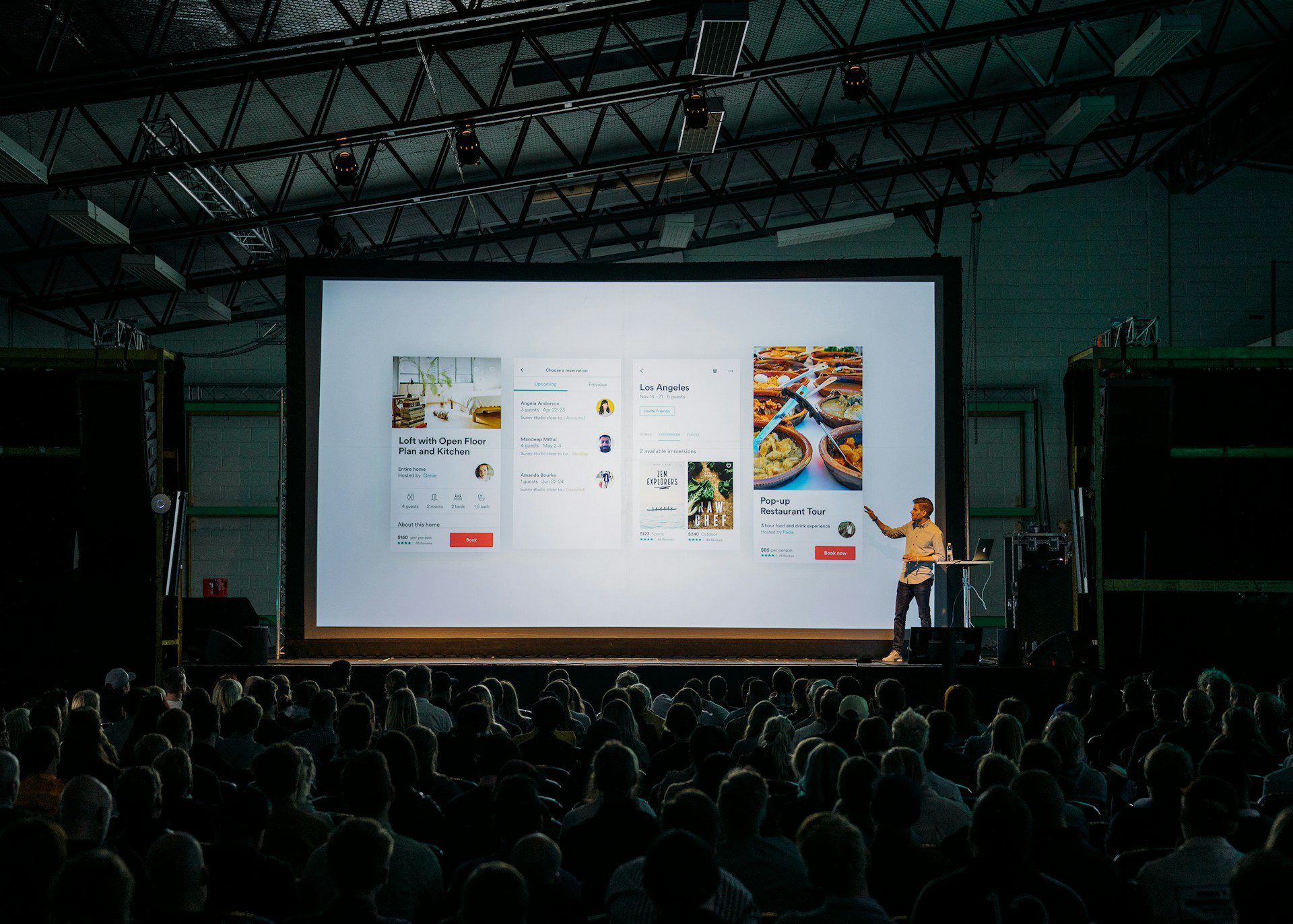
    Welcome to Lesson 1 of “From Pixels to Presentations: The Art of the Design Demo.” In this lesson, we’ll explore the fundamental role of storytelling in creating a compelling demo. Effective storytelling can captivate your audience, communicate the problem, solution, and impact of your design, and craft a narrative that resonates deeply with your audience.

    Explore the Power of Storytelling

    Storytelling is a powerful tool for capturing your audience’s attention and creating meaningful connections. Through storytelling, you can evoke emotions, engage your audience on a deeper level, and leave a lasting impression. By understanding the psychology behind storytelling, you’ll be better equipped to create demos that resonate with your audience and inspire action.

    Using storytelling to create a compelling narrative can be applied in various contexts, including marketing, presentations, and product demonstrations. Here are some examples:

    1. Brand Storytelling: Many successful brands use storytelling to create a narrative that resonates with their audience and communicates their values. For example, Nike’s “Just Do It” campaign tells stories of perseverance, overcoming obstacles, and achieving greatness, inspiring audiences to push beyond their limits.
    2. Customer Testimonials: Customer testimonials are a powerful way to incorporate storytelling into marketing materials. By sharing real-life stories of customers who have benefited from a product or service, businesses can create a relatable and persuasive narrative that resonates with potential customers.
    3. Product Demonstrations: When demonstrating a product, storytelling can be used to frame the problem the product solves, introduce the solution, and highlight its benefits. For example, a software company might tell a story of a frustrated user struggling with outdated systems before introducing their product as the solution that streamlines their workflow and improves efficiency.
    4. Presentations: Storytelling can also be used to structure presentations and engage audiences during public speaking events. Speakers might begin with a personal anecdote or a compelling story that sets the stage for the topic they’re discussing, making the content more relatable and memorable for the audience.
    5. Case Studies: Case studies are another effective way to incorporate storytelling into marketing materials. By presenting real-world examples of how a product or service has solved a problem for a specific client or customer, businesses can demonstrate their value and credibility while engaging their audience with a compelling narrative.

    These examples illustrate how storytelling can be used to create a compelling narrative in various contexts, capturing audience attention, communicating key messages, and inspiring action.

    Learn How to Structure Your Narrative

    A well-structured narrative is essential for guiding your audience through the journey of your design. By structuring your narrative around the problem your design solves, the solution it offers, and the impact it has on your audience, you can effectively communicate the value of your design solutions. Learn the essential elements of narrative structure and how to apply them to your design demo to create a cohesive and compelling story.

    Structuring your narrative around the problem your design solves, the solution it offers, and the impact it has on its audience is crucial for effectively communicating the value of your design solution. Here’s a guide on how to do it:

    Identify the Problem:

    • Clearly define the problem your design aims to solve. What pain points or challenges are your users facing? What are the consequences of not addressing this problem?
    • Provide context by sharing real-life examples, anecdotes, or statistics that illustrate the significance and urgency of the problem.

    Introduce the Solution:

    • Introduce your design solution as the answer to the problem identified. Explain how your solution addresses the specific pain points and challenges faced by your audience.
    • Highlight the unique features and benefits of your design solution. What makes it different from existing solutions in the market? How does it offer a better or more innovative approach to solving the problem?

    Illustrate the Impact:

    • Showcase the positive impact of your design solution on its audience. How does it improve their lives, workflows, or experiences? What benefits do users gain from adopting your solution?
    • Provide concrete examples or case studies that demonstrate the real-world impact of your design. Share success stories, testimonials, or metrics that quantify the benefits and outcomes achieved through your solution.

    Connect Emotionally:

    • Appeal to the emotions of your audience by telling a compelling story that resonates with their experiences and aspirations.
    • Use vivid language, imagery, and storytelling techniques to evoke empathy, excitement, or inspiration. Make your audience feel personally invested in the problem and its solution.

    Reinforce with Evidence:

    • Support your narrative with evidence, data, and research that validate the effectiveness and credibility of your design solution.
    • Use testimonials, user feedback, user testing results, or industry research to reinforce the value proposition of your design and build trust with your audience.

    Call to Action:

    • Conclude your narrative with a clear call to action that encourages your audience to take the next steps, whether it’s trying out your product, contacting your team for more information, or supporting your cause.
    • Make it easy for your audience to engage with your design solution and take action towards solving their problem.

    By structuring your narrative around these key elements, you can effectively communicate the value of your design solution and inspire your audience to embrace it.

    Discover Techniques for Crafting a Compelling Story

    Crafting a compelling story requires creativity, imagination, and attention to detail. Explore various storytelling techniques, such as the hero’s journey, the three-act structure, and the emotional arc, to engage your audience and keep them invested in your story. Learn how to infuse your narrative with tension, conflict, and resolution to create a sense of urgency and excitement. Additionally, discover how to incorporate visual elements, anecdotes, and metaphors into your narrative to make it more vivid, memorable, and persuasive.

    Here’s how you can incorporate each technique into crafting a compelling narrative for your design demo:

    The Hero’s Journey

    1. Identify your audience (the hero) and position them as the central character in your narrative. Understand their goals, challenges, and aspirations.
    2. Introduce the hero’s journey by outlining the initial situation or problem that the hero faces. This sets the stage for the narrative and creates tension.
    3. Present your design solution as the hero’s call to adventure—the tool or resource that empowers them to overcome obstacles and achieve their goals.
    4. Guide the hero (your audience) through the journey of discovering and adopting your design solution. Highlight the challenges they encounter, the insights they gain, and the transformations they experience along the way.
    5. Conclude by celebrating the hero’s success and showcasing the positive impact of your design solution on their journey.

    The Three-Act Structure

    Act 1: Setup

    • Introduce the problem or conflict that your design solution addresses. Establish the context, setting, and characters involved.
    • Create intrigue and capture the audience’s attention by presenting the stakes and consequences of the problem.

    Act 2: Confrontation

    • Present your design solution as the response to the problem introduced in Act 1. Highlight its features, benefits, and unique value proposition.
    • Show how your design solution addresses the challenges faced by your audience and offers a pathway to resolution.

    Act 3: Resolution

    • Demonstrate the positive outcomes and impact of adopting your design solution. Showcase real-world examples, testimonials, or success stories.
    • Reinforce the benefits and value proposition of your design solution. Leave the audience feeling satisfied and inspired by the resolution of the narrative.

    The Emotional Arc

    1. Identify the emotional journey you want your audience to experience throughout your narrative. Consider the range of emotions—from curiosity and empathy to excitement and empowerment—that will resonate with your audience.
    2. Infuse your narrative with emotional triggers such as relatable anecdotes, powerful imagery, or personal testimonials. Create moments of tension, suspense, and resolution that evoke emotional responses from your audience.
    3. Show empathy towards your audience by acknowledging their pain points and challenges, and offer hope and optimism through the promise of your design solution.
    4. Build towards a climax that elicits strong emotions and leaves a lasting impression on your audience. Aim to create an emotional connection that motivates action and inspires change.

    By incorporating these storytelling techniques into your narrative, you can create a compelling and memorable experience that resonates with your audience, communicates the value of your design solution, and inspires action.

    Conclusion

    By mastering the techniques outlined in this lesson, you’ll be equipped to craft a compelling narrative that captures your audience’s attention, communicates the value of your design solutions, and leaves a lasting impression on your audience. Let’s dive into the art of storytelling and discover how to create memorable and persuasive design demos.


    Thank you for taking the time to read my article! I value your interest and engagement. I invite you to continue the conversation by sharing your thoughts, questions, or feedback in the comments section below.

    Don’t forget to like and share this article with your network if you found it valuable. And remember to check back in a couple weeks for my next insightful article. Until then, stay creative and keep exploring!

  • From Pixels to Presentations: The Art of the Demo

    From Pixels to Presentations: The Art of the Demo

    Introduction

    Welcome to “From Pixels to Presentations: The Art of the Design Demo.” In this learning module, we’ll explore the essential aspects of delivering a compelling demo of your product design.

    Through four comprehensive lessons, we’ll explore the power of storytelling, the importance of showcasing key features and benefits, techniques for creating engaging and interactive demos, and strategies for handling questions and feedback with confidence and professionalism.

    Outline

    Lesson 1: Crafting a Compelling Narrative

    • Explore the power of storytelling in capturing your audience’s attention.
    • Learn how to structure your narrative to highlight the problem, solution, and impact of your design.
    • Discover techniques for crafting a compelling story that resonates with your audience.

    Lesson 2: Showcasing Key Features and Benefits

    • Dive into the importance of showcasing key features and benefits in your demo.
    • Learn how to effectively highlight the unique selling points of your design.
    • Discover strategies for demonstrating the value and relevance of your design to your audience.

    Lesson 3: Creating Engaging and Interactive Demos

    • Explore techniques for creating engaging and interactive demos that captivate your audience.
    • Learn how to leverage technology to create immersive experiences for your audience.
    • Discover methods for bringing your design to life through live demos and interactive prototypes.

    Lesson 4: Handling Questions and Feedback

    • Gain confidence in responding to inquiries and addressing concerns during your demo.
    • Learn strategies for fostering meaningful dialogue and collaboration with your audience.
    • Discover techniques for handling feedback with professionalism and grace, ensuring a positive experience for all participants.

    Conclusion

    By mastering the strategies outlined in these lessons, you’ll be equipped to deliver compelling and impactful design demos that showcase the value of your design solutions and inspire your audience. The power of storytelling, effective showcasing of key features, creating engaging and interactive demos, and handling questions and feedback with confidence are key elements in creating memorable and persuasive presentations.

    Let’s dive into the art of the design demo and discover how to captivate your audience, communicate your vision, and drive excitement and engagement around your product.


    Thank you for taking the time to read my article! I value your interest and engagement. I invite you to continue the conversation by sharing your thoughts, questions, or feedback in the comments section below.

    Don’t forget to like and share this article with your network if you found it valuable. And remember to check back in a couple weeks for my next insightful article. Until then, stay creative and keep exploring!
  • User Testing Essentials: Iterative Testing and Continuous Improvement

    User Testing Essentials: Iterative Testing and Continuous Improvement

    This article is part of a series on User Testing Essentials

    Introduction

    Welcome to the final lesson of “User Testing Essentials: From Planning to Analysis.” In this lesson, we’ll explore the concept of iterative testing and continuous improvement, emphasizing the importance of incorporating user feedback into the design iteration process. By embracing a cycle of testing, learning, and refining, you can iteratively improve your product and ensure that it meets the evolving needs and expectations of your users.

    Incorporating User Feedback into the Design Iteration Process

    Iterative testing involves incorporating user feedback gathered from testing sessions into the design iteration process. Use the insights and recommendations derived from user testing analysis to identify areas for improvement and prioritize changes to your design. Iterate on your design based on user feedback, making incremental adjustments and refinements to enhance usability, functionality, and overall user experience.

    Planning for Iterative Testing Cycles

    Plan for iterative testing cycles to systematically gather feedback and validate design changes over time. Establish a timeline and cadence for conducting successive rounds of testing, allowing sufficient time for implementing design improvements between iterations. Consider factors such as the complexity of changes, resources available, and the pace of product development when planning iterative testing cycles.

    Implementing Changes Based on User Testing Results

    Implement changes to your design based on the insights and recommendations derived from user testing results. Prioritize design improvements that address the most critical issues identified during testing, focusing on areas that have the greatest impact on user experience. Collaborate with your team to implement changes effectively, ensuring that design iterations are aligned with the overall product vision and goals.

    Establishing a Culture of Continuous Improvement

    Foster a culture of continuous improvement within your design team and organization by emphasizing the value of user feedback and the importance of iteration. Encourage open communication, collaboration, and knowledge sharing among team members to facilitate learning and innovation. Regularly review and reflect on user testing results, celebrating successes and learning from failures to drive ongoing improvement.

    Conclusion

    In Lesson 5, we’ve explored the concept of iterative testing and continuous improvement, highlighting the importance of incorporating user feedback into the design iteration process.

    By embracing a cycle of testing, learning, and refining, you can iteratively improve your product and ensure that it evolves to meet the changing needs and expectations of your users.

    As you continue your journey in product design, remember to prioritize user feedback and make iterative testing an integral part of your design process.

  • User Testing Essentials: Analyzing User Testing Data

    User Testing Essentials: Analyzing User Testing Data

    This article is part of a series on User Testing Essentials

    Introduction

    Welcome to Lesson 4 of “User Testing Essentials: From Planning to Analysis.” In this lesson, we’ll shift our focus to the analysis phase of user testing, where we’ll explore strategies for synthesizing and interpreting the data collected during testing sessions. Effective analysis is crucial for deriving meaningful insights from user feedback and observations, ultimately informing design decisions and driving improvements to your product.

    Reviewing and Synthesizing User Feedback and Observations

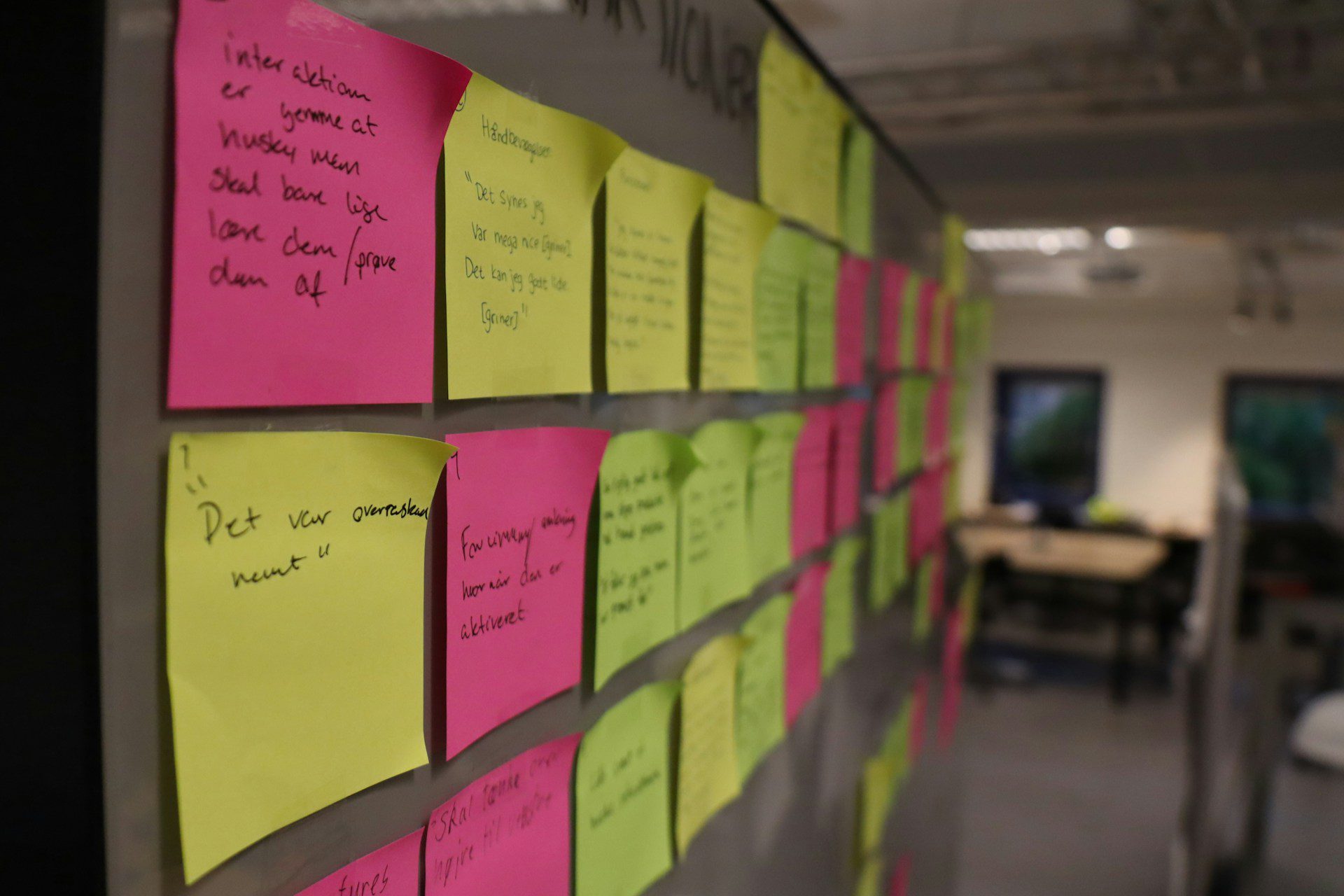
    The first step in the analysis process is to review and synthesize the qualitative and quantitative data collected during user testing sessions. Organize and categorize user feedback, observations, and insights into themes or patterns based on commonalities and recurring issues. Look for trends or outliers that may signal areas of strength or weakness in your design.

    Identifying Patterns, Trends, and Insights

    Once you’ve synthesized the data, delve deeper into the analysis to identify patterns, trends, and insights that emerge from the findings. Pay attention to recurring themes, user behaviors, pain points, and areas of delight or frustration. Look for correlations between different variables, such as user demographics, task performance, and satisfaction levels. These insights will help you understand user needs, preferences, and priorities more comprehensively.

    Making Data-Driven Decisions for Design Improvements

    Based on the analysis of user testing data, make data-driven decisions for design improvements and iterations. Prioritize issues and opportunities identified during testing, focusing on those that have the most significant impact on user experience and align with your design objectives. Collaborate with your team to brainstorm potential solutions and enhancements, considering both short-term fixes and long-term strategies for improvement.

    Example Actions for Improvements

    • Remove redundant primary buttons from the layout and replace with secondary or tertiary buttons respectively
    • Move the course finder lower on the page, below the Hero Header component, and retest 
    • Update the calendar component controls to include international date format 
    • Add the correct pronunciation of the brand via contextual help -this could be in parenthesis in body copy

    Presenting Findings and Recommendations Effectively

    Communicating the findings and recommendations from user testing analysis is crucial for driving action and buy-in from stakeholders. Prepare a clear and concise report or presentation summarizing the key insights, findings, and implications for design.

    Use visualizations such as charts, graphs, and diagrams to illustrate data trends and support your recommendations. Tailor your presentation to your audience, highlighting the most relevant findings and emphasizing the importance of user feedback in shaping design decisions.

    Conclusion

    In Lesson 4, we’ve explored the analysis phase of user testing, focusing on strategies for reviewing, synthesizing, and interpreting the data collected during testing sessions. By analyzing user feedback and observations effectively, you can derive valuable insights that inform design improvements and drive the evolution of your product.

    In the final lesson of this module, we’ll discuss strategies for iterative testing and continuous improvement, highlighting the importance of incorporating user feedback into the design iteration process.