
Stackup: Designing a Reading Analytics Platform for K–12 Students
Principal Product Designer
B2B2C
EdTech
Customer-facing
Startup
10M Users
2015-2016
Context
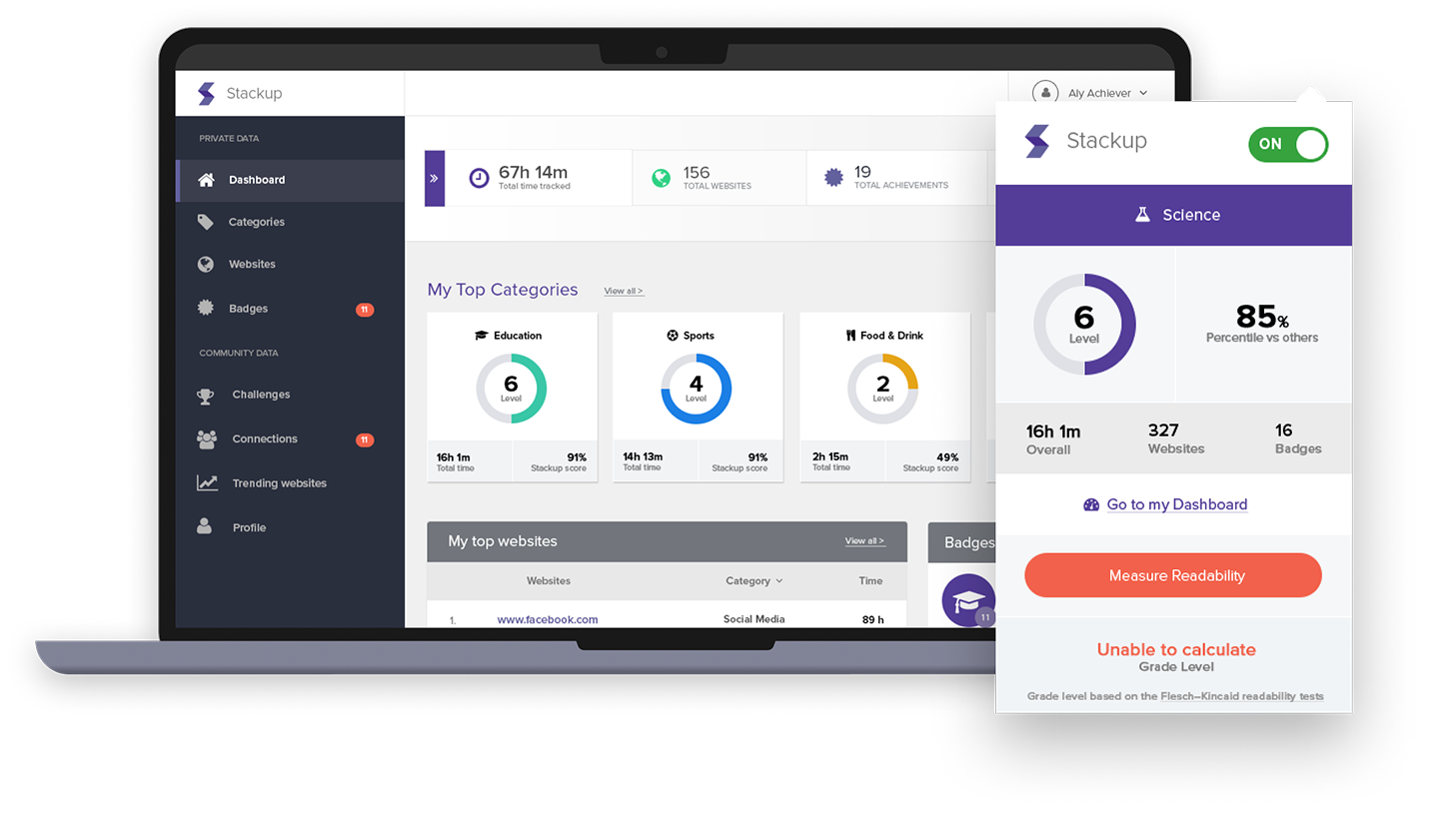
Stackup was an EdTech Chrome plugin and web dashboard that tracked students’ online reading and awarded classroom credit. The product helped teachers recognize reading that was already happening online, while motivating students through progress tracking, badges, challenges, and classroom competition.
I led the end-to-end UX/UI redesign of the platform, working closely with students, teachers, administrators, engineers, and business stakeholders to reimagine the proof of concept from the ground up. In addition to product design, I also handled frontend development and supported PPC marketing efforts to help drive user acquisition.
This work improved usability, increased engagement, and laid the foundation for long-term growth, ultimately contributing to Stackup’s acquisition by GG4L in 2021, when the platform was serving more than 10 million students.
Caption: The platform gained local news coverage and received multiple awards for innovation in education. Shoutout to founder Nick. It was rewarding to watch his vision come to life.
The Problem
The original Stackup proof of concept had promise, but the product needed a more unified and effective experience to support growth.
Key challenges included:
- An inconsistent experience across the Chrome plugin and web dashboard
- Limited visibility into student reading habits and progress
- Teacher workflows that needed to be clearer and easier to manage
- Administrative reporting that could be difficult to interpret or act on
- A need to motivate students in a way that felt engaging without undermining academic value
- A product experience that needed to scale across classrooms, districts, and user types
This was not just a UI refresh. It was an opportunity to rethink how digital reading could be tracked, rewarded, and translated into meaningful educational outcomes.
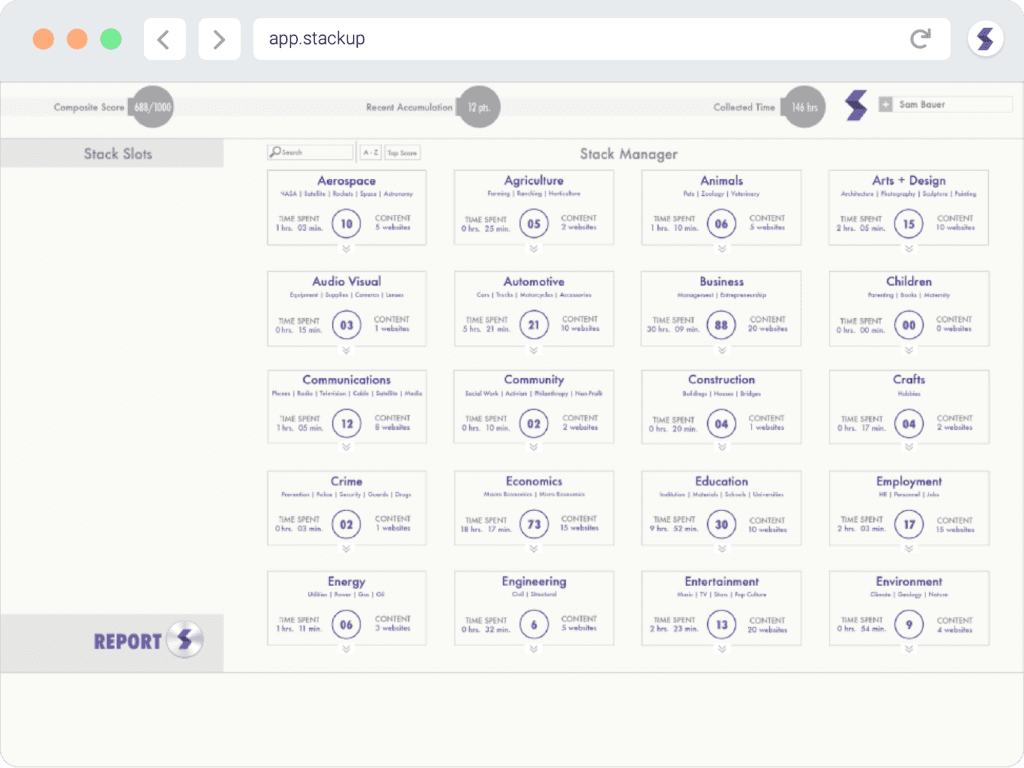
Caption: A view of the original proof of concept.
My Role
I led UX/UI design from strategy through implementation.
My responsibilities included:
- Leading end-to-end UX and UI design across the platform
- Conducting user research with students, teachers, administrators, and business stakeholders
- Facilitating kickoff planning, discovery, ideation, and prioritization workshops
- Developing personas, flows, wireframes, prototypes, and high-fidelity designs
- Building and maintaining the design system and frontend UI library
- Completing frontend development for the website and Chrome app
- Partnering closely with engineers during buildout, QA, and release
- Supporting PPC marketing campaigns to help drive growth and adoption
Approach
1. Project Kickoff & Planning
To align the team early, I facilitated a structured kickoff session that gave us a shared understanding of goals, users, risks, scope, and success metrics.
This planning process included:
- A kickoff canvas covering participants, goals, deliverables, milestones, and constraints
- A Lean UX approach centered on rapid learning and iteration
- An MVP target informed by user needs and business priorities
- A measurement plan aligned to the Google HEART framework
Impact: Created shared alignment across stakeholders and gave the team a focused roadmap for research, design, and validation.
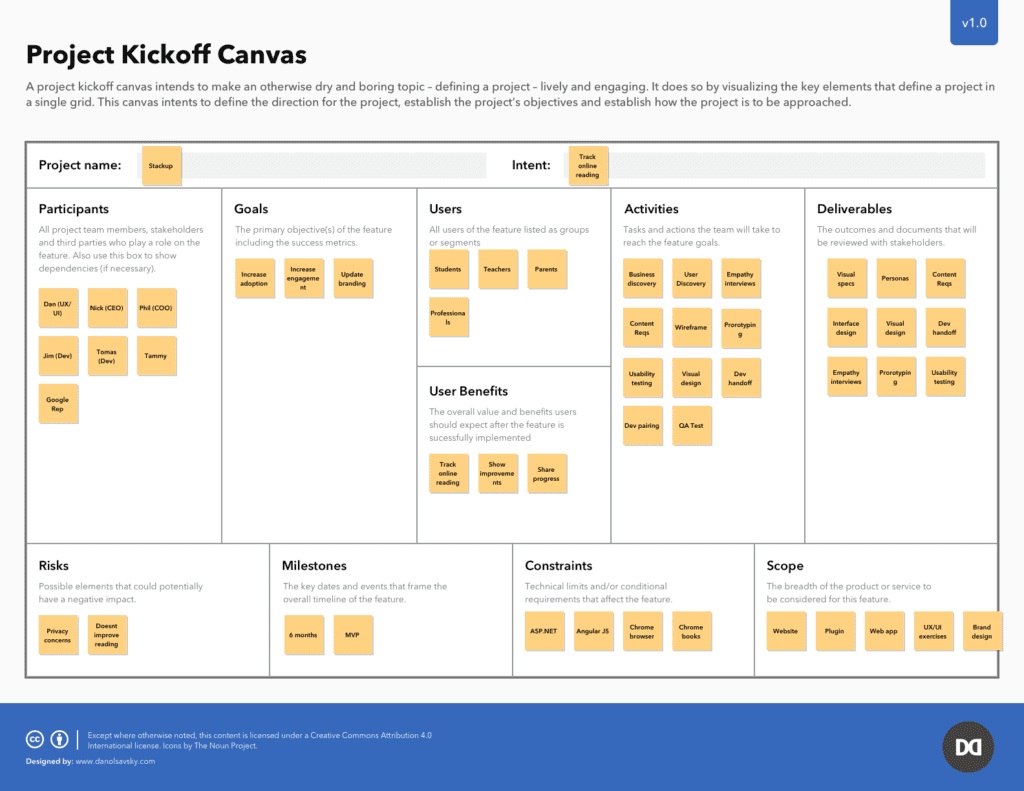
Caption: I worked with stakeholders on completing a project kickoff canvas to gain a forest-view level of the business, users, and product.
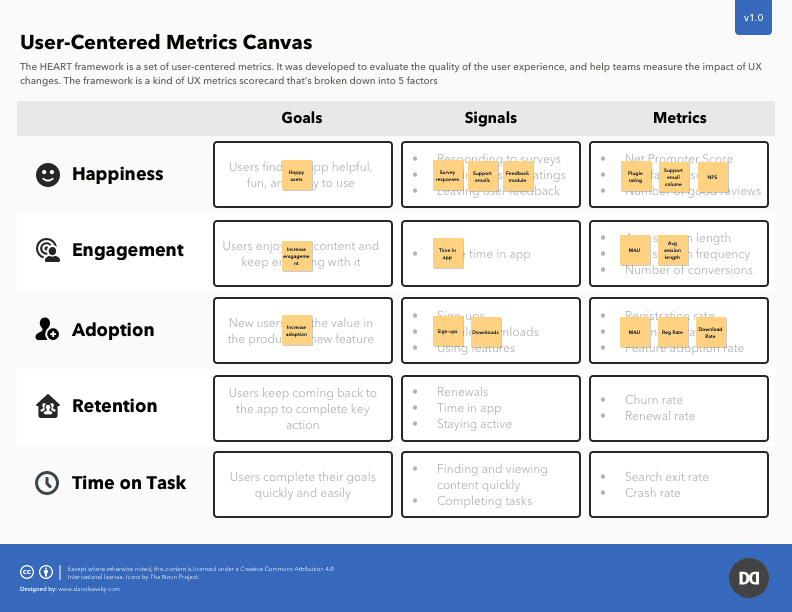
Caption: We used the Google HEART Framework to define success across happiness, engagement, adoption, retention, and time on task.
2. Empathize: Understanding the Users
I conducted research with both end users and business stakeholders to understand the product from multiple perspectives.
Discovery activities included:
- Heuristic evaluation of the existing Chrome plugin and web app
- Empathy interviews with teachers, administrators, and students through teacher facilitation
- Firsthand classroom observation to understand actual reading behavior and context
- Synthesis of research findings into themes, opportunities, and design priorities
Key insights included:
- Students liked the idea of getting credit for online reading
- Teachers wanted simple, goal-based tracking and visibility
- Administrators needed reporting that did not require IT support
- Parents wanted more confidence around privacy
- Game mechanics like badges and challenges increased motivation

Caption: A representative student persona used to guide product decisions around motivation, clarity, and engagement.
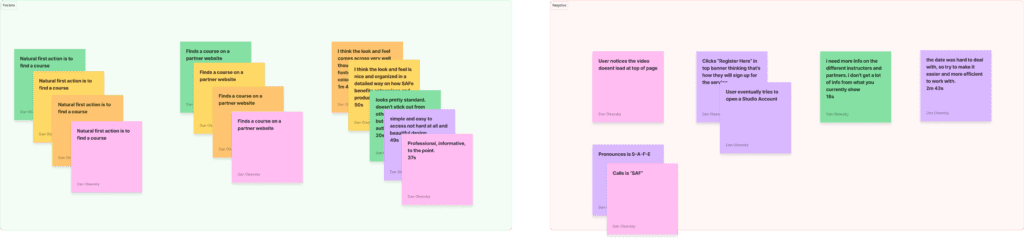
Caption: Synthesizing research findings by user type to identify patterns, priorities, and product opportunities.
3. Define: Framing the Problem
After research, I translated findings into a clear product direction.
We defined the opportunity as follows:
We believed that if students could receive credit for all of their online reading, they would read more often, improve their skills, and explore their interests more deeply. We also believed teachers needed a fast and simple way to create goals and track progress in the classroom.
To sharpen our thinking, I used How Might We questions such as:
- How might we track online reading so teachers can give students credit in the classroom?
- How might we capture valuable data about online reading habits to help identify strengths and weaknesses?
- How might we build a platform that encourages students to read and learn more?
Success metrics included:
- Happiness, measured through satisfaction surveys
- Engagement, measured through daily reading time and event tracking
- Adoption, measured through user growth and new districts
- Retention, measured through DAU/MAU
Impact: Established a clear product strategy that linked user needs, design decisions, and measurable outcomes.
4. Ideate: Exploring Possibilities
To generate and prioritize ideas, we used collaborative ideation methods and story mapping.
Activities included:
- Collaborative sketching and whiteboard sessions
- Crazy 8s exercises for key flows and experiences
- User journey mapping to identify red routes
- Story mapping to organize features into MVP and future releases
Key concepts explored included:
- Reading challenges and badges
- Role-based dashboards
- Comprehension tracking and readability scoring
- Parent-facing reports and Open Badges
Impact: Helped the team quickly explore multiple directions, prioritize the most valuable ideas, and focus development on the MVP.
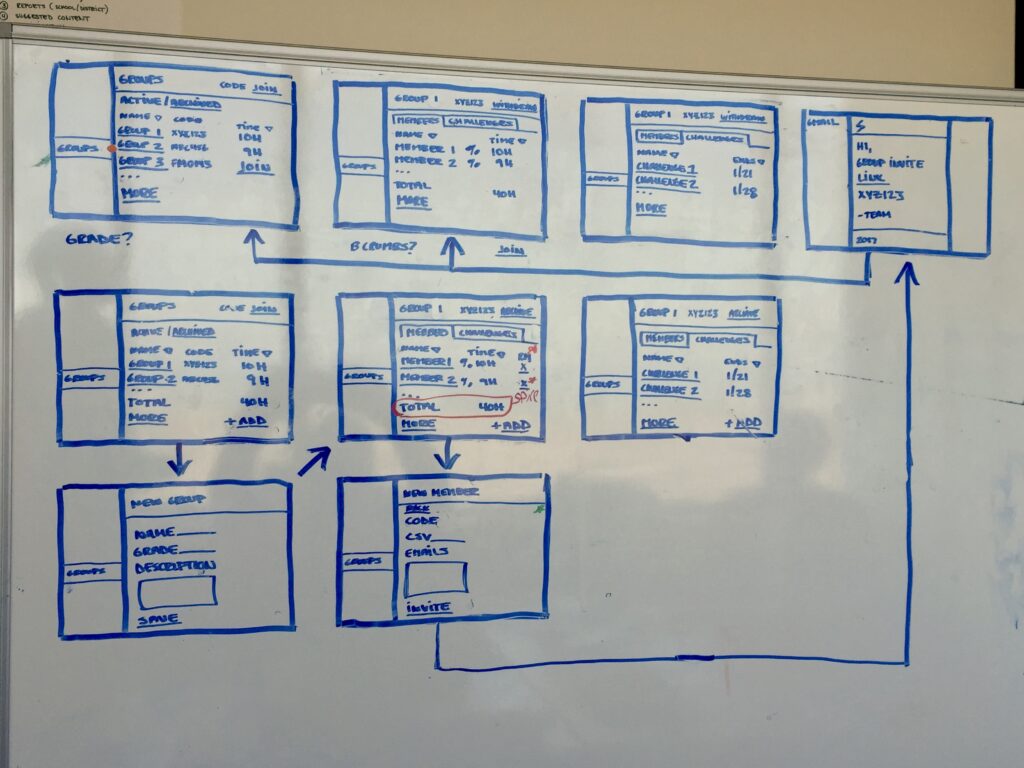
Caption: A whiteboard flow diagram used to brainstorm part of the Challenges feature.
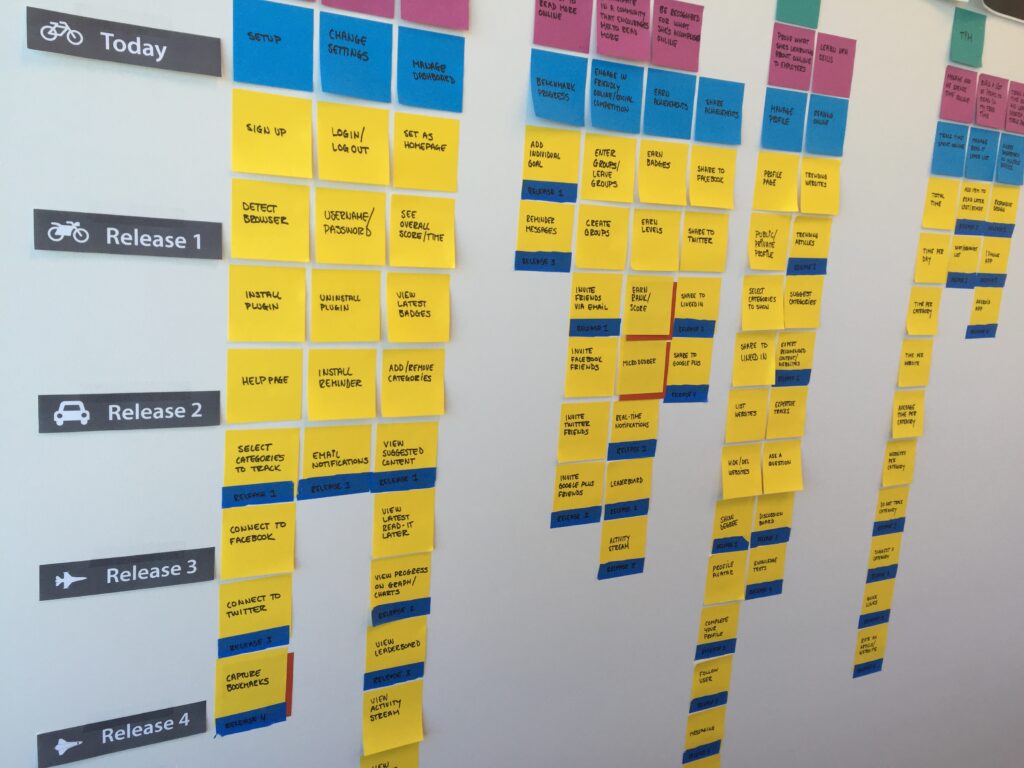
Caption: Story mapping exercise used to define the MVP and sequence future enhancements.
5. Prototype: Bringing It to Life
I created annotated wireframes and interactive prototypes to bring the new experience into focus and gather feedback before development.
Work included:
- Annotated wireframes for key workflows
- Interactive prototypes in UXPin
- Design exploration for student dashboards, challenge creation, and classroom leaderboards
- Refinement based on stakeholder and user feedback
I also developed the foundation of the visual system:
- A branded UI kit based on Bootstrap and a custom Photoshop design system
- An HTML/CSS UI library to streamline developer handoff
- Reusable components including buttons, badges, modals, and tooltips
- Templates for both the product and marketing site
Impact: Created a consistent and scalable visual language that supported both product usability and faster implementation.
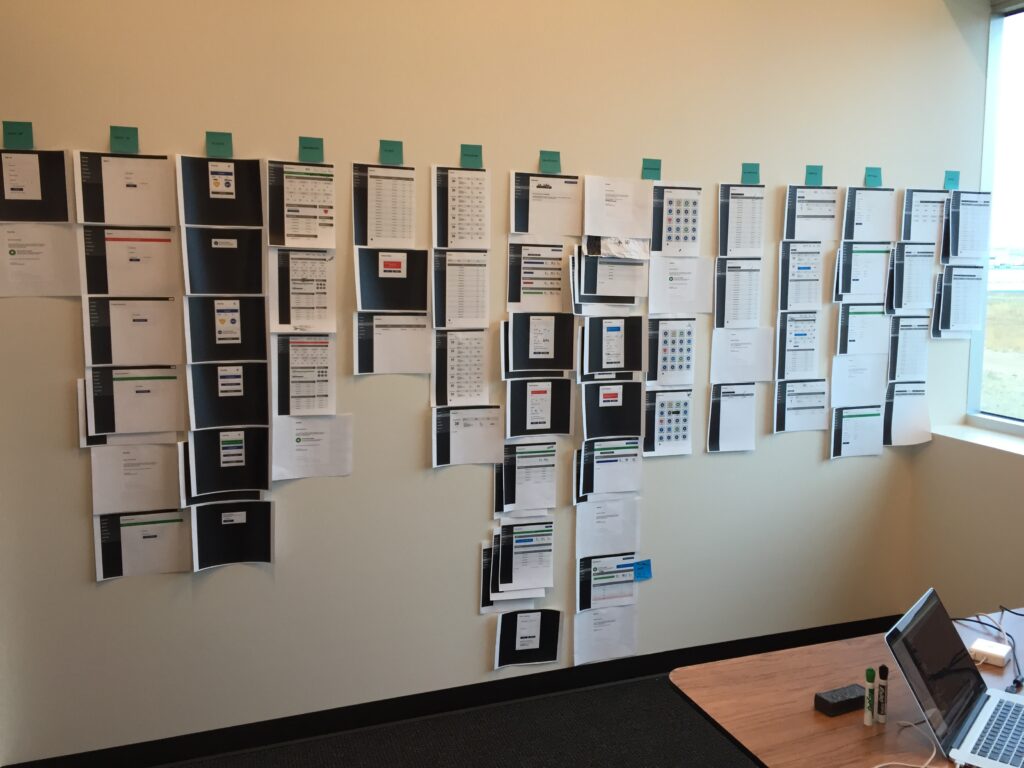
Caption: Printed wireframes used for collaborative review, alignment, and iteration.
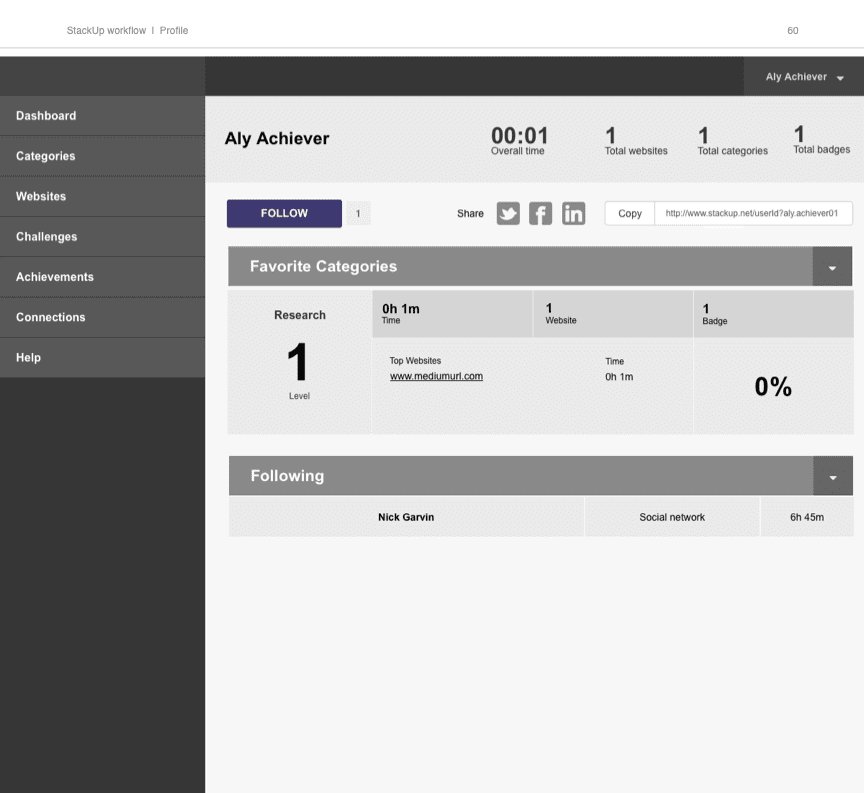
Caption: A closer look at one of the key product flows during the wireframing stage..
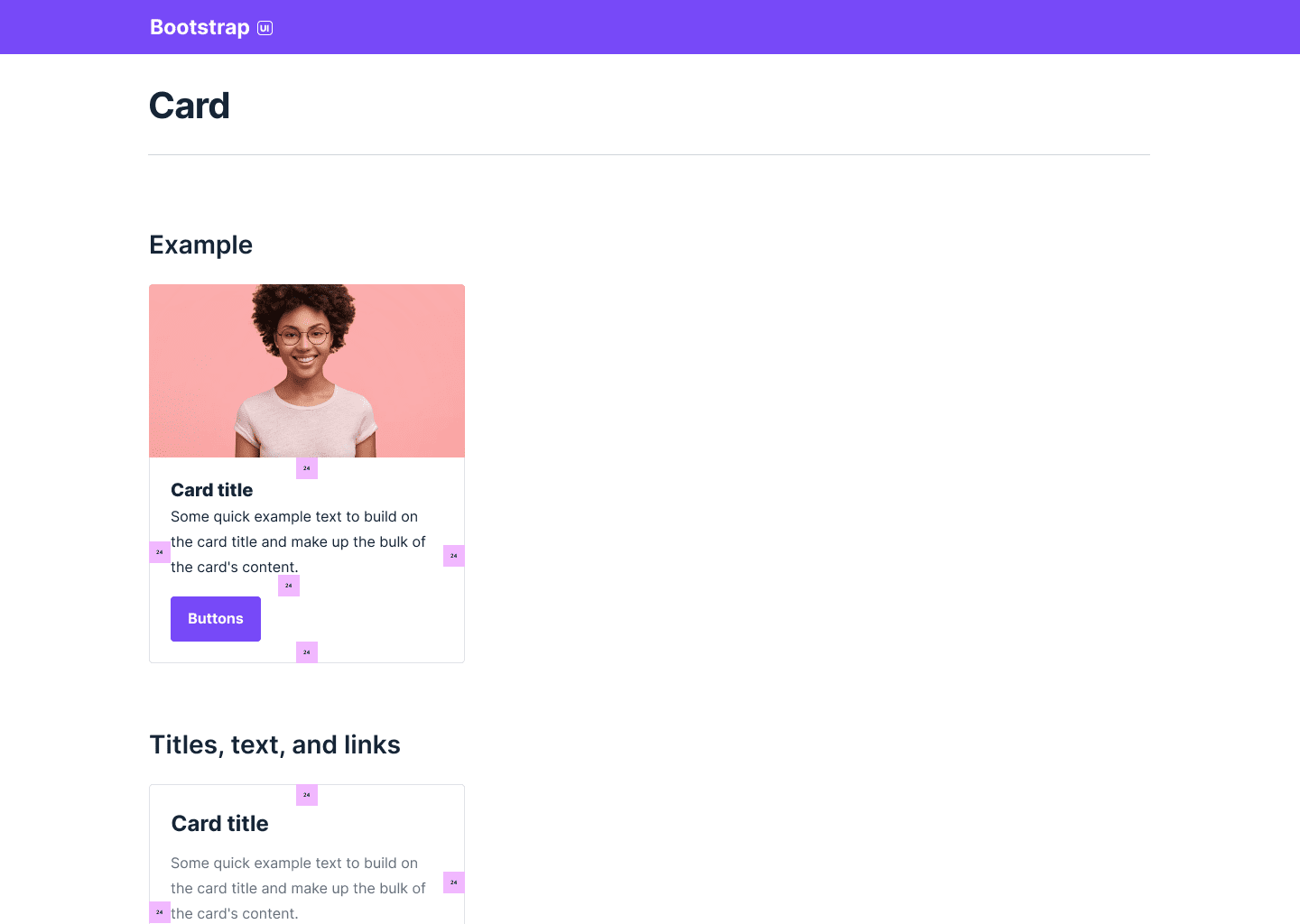
Caption: A closer look at one reusable component within the Stackup design system (extended from Bootstrap).
6. Test: Validating and Iterating
Testing was practical, collaborative, and closely tied to real classroom usage.
Testing activities included:
- In-classroom usability sessions with students and teachers
- Feedback forms embedded within the app
- Sticky-note walkthroughs and affinity mapping
- Ongoing measurement through HEART framework metrics, especially adoption and engagement
Key testing insights included:
- The challenge creation flow was confusing for teachers, so I simplified steps and clarified labels
- Students responded well to rewards, but badges were not visible or timely enough, so I improved visibility and delivery timing
- Students wanted stronger progress visibility, which led to improvements in readability tracking and profile features
Impact: Improved the product’s usability and engagement by grounding decisions in real user behavior and continuous feedback.
Teacher Testimonial
“When we first started using it, the students weren’t even asking to go to the restroom. I was like, wow, we’re not taking a break here. They seem to love it.”
Jacqueline G., Teacher @ Scholars Unlimited
Student Testimonial
“It’s really rewarding because then you know you’re learning more of this subject and you can do better in actual school.”
Jacqueline G., Teacher @ Scholars Unlimited
7. Implement: Building the MVP
Once the designs were validated, I worked closely with engineering to bring the MVP to life.
Implementation work included:
- Creating a responsive HTML/CSS/JS UI library using Bootstrap
- Pairing with engineers throughout buildout and QA
- Using BrowserStack to validate performance across browsers and devices
- Supporting iterative releases and enhancement cycles after launch
I completed frontend development for the website and Chrome app, while full-stack and plugin developers handled backend and integration work.
We shipped the MVP in February 2016 and continued improving the product in two-week sprints after launch.
Impact: Accelerated development while maintaining consistency across the experience, helping the team deliver a polished MVP and improve it quickly post-launch.
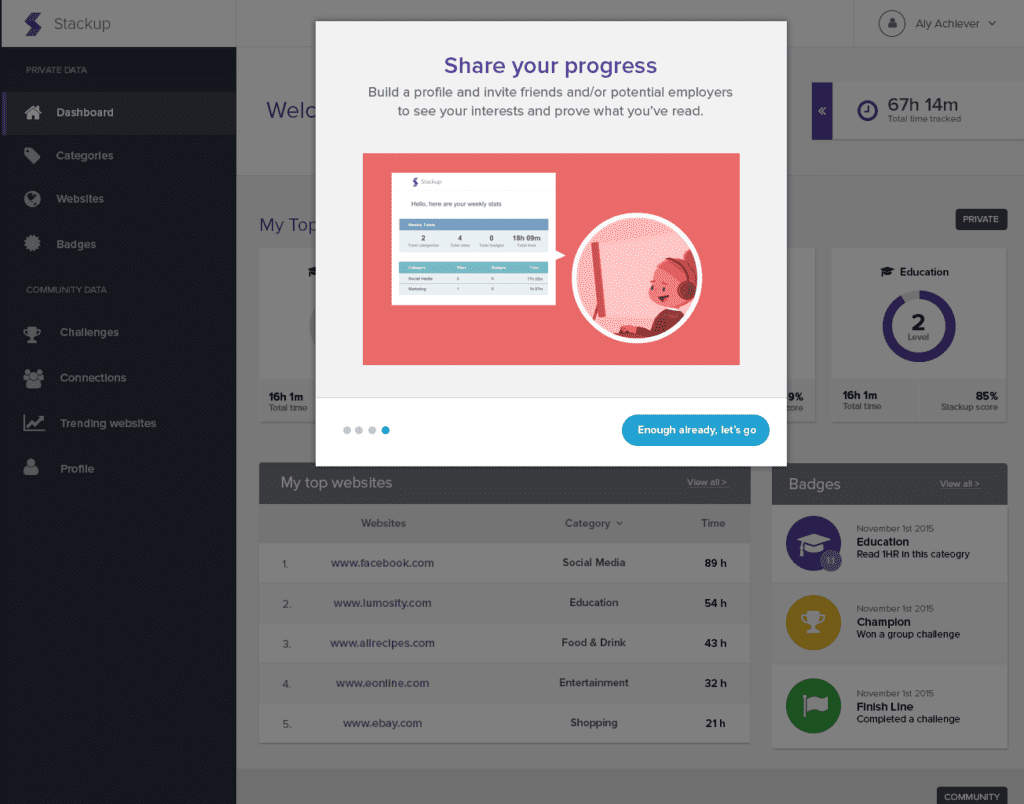
Caption: A view of the onboarding experience designed to help users quickly understand the value of the platform.
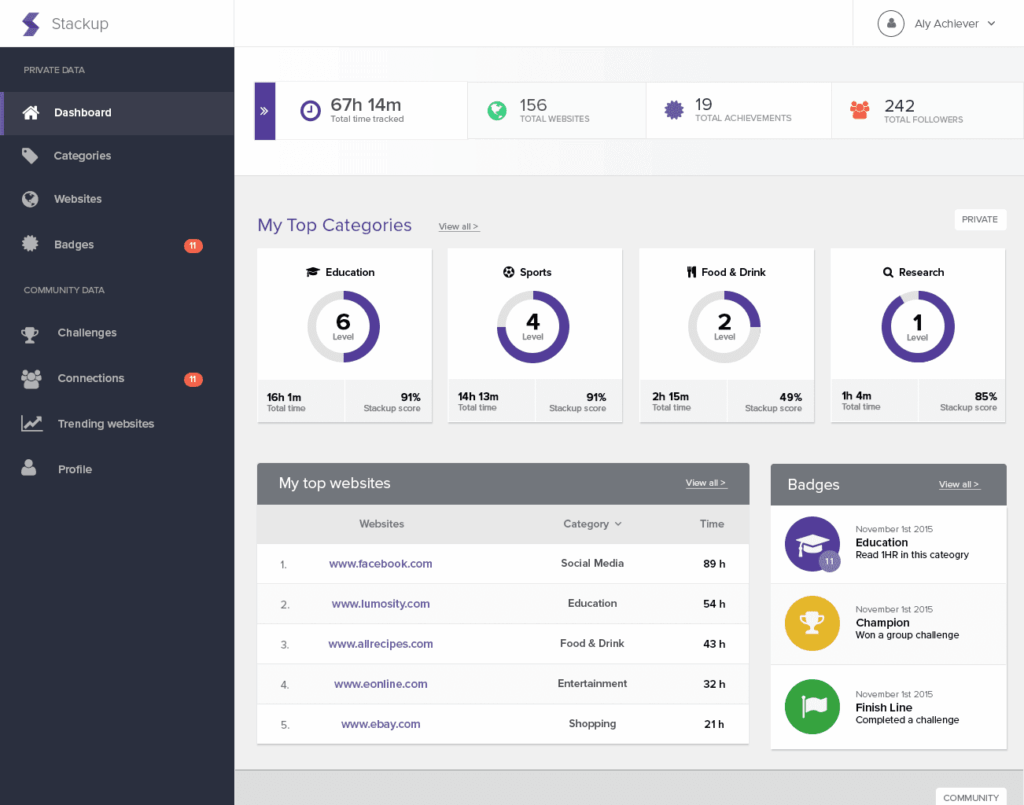
Caption: A reporting experience designed to help students and educators better understand progress and outcomes.
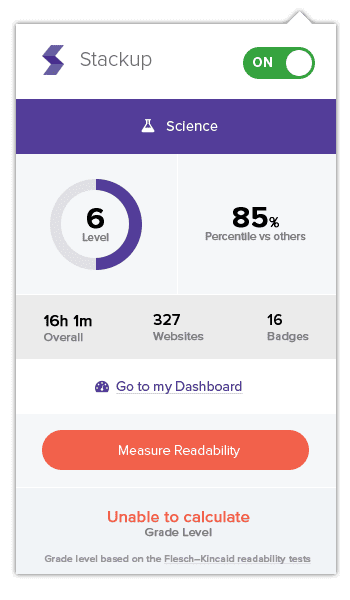
Caption: The Chrome plugin that enabled tracking and recognition of online reading activity.
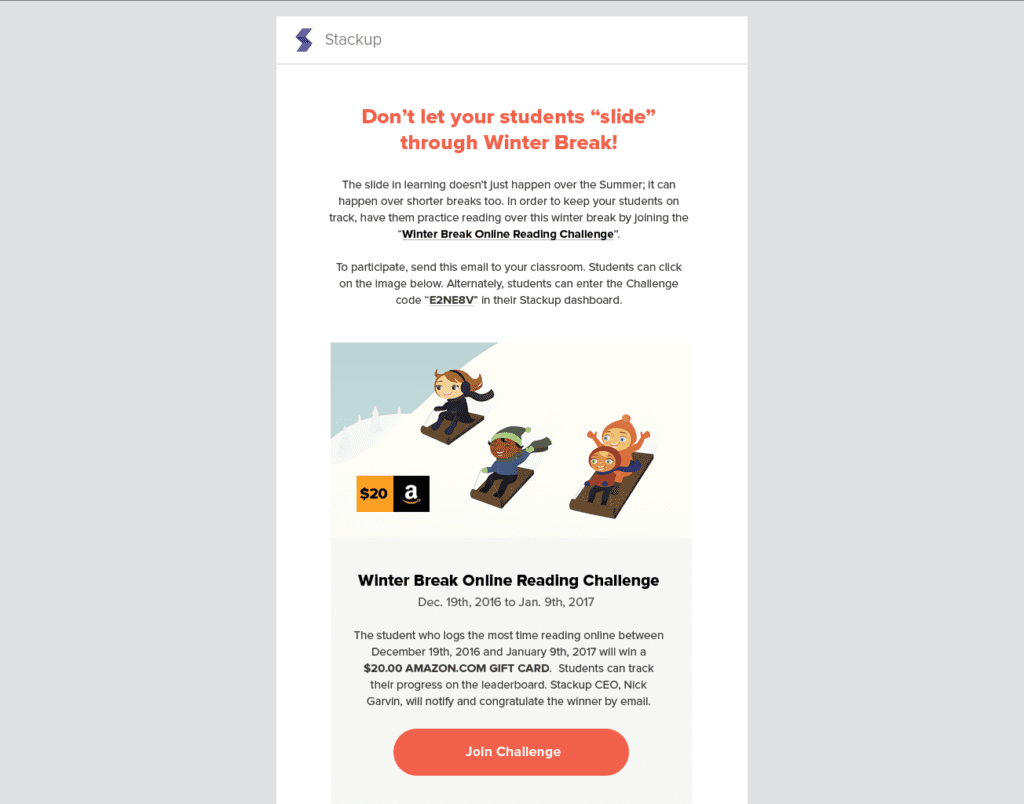
Caption: An example email invitation to join a winter break reading challenge.
8. Continuous Improvement: Post-Launch
The product continued to evolve after launch based on usage data, testing insights, and classroom feedback.
Enhancements explored included:
- Readability tracking with personalized recommendations
- Advanced reporting using D3.js for classroom dashboards
- Enhanced game mechanics such as classroom-versus-classroom challenges and classroom currency
- A redesigned marketing website aligned to the new product branding and design system
Impact: Extended the product’s value over time and created a stronger foundation for growth, retention, and acquisition.
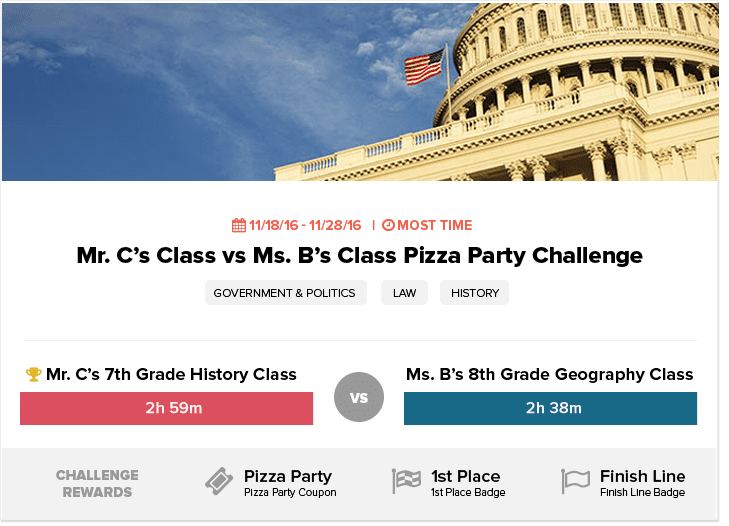
Caption: New reward and challenge concepts designed to deepen engagement and increase motivation.
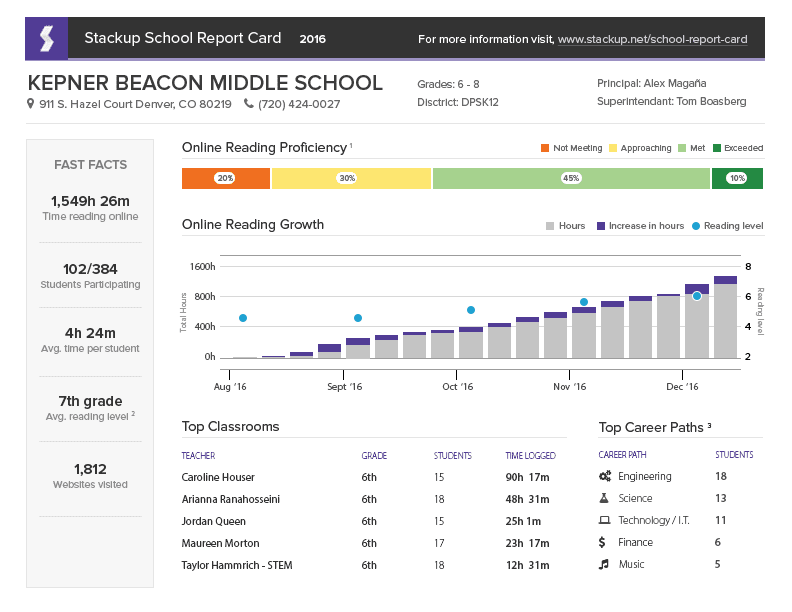
Caption: Early exploration of richer classroom analytics using D3.js visualizations.
Key Outcomes
Stackup was acquired by GG4L in 2021, when the platform was serving more than 10 million students.
Engagement: Students averaged 25+ additional minutes of daily reading through challenges, badges, and clearer progress visibility.
Retention: 34% DAU/MAU classroom stickiness with sustained weekend and summer usage.
Scalability: Adoption growth and system consistency supported expansion to millions of students post-acquisition.
Satisfaction: Teachers reported high usability and faster classroom goal tracking.
Reflection
Designing for K–12 students requires balancing engagement, simplicity, and educational value.
Direct classroom observation provided more useful insight than assumptions alone, and building a scalable design system early made both implementation and iteration significantly easier. The strongest outcomes came from combining research, gamification, cross-functional collaboration, and a clear product strategy grounded in measurable outcomes.
Recognition
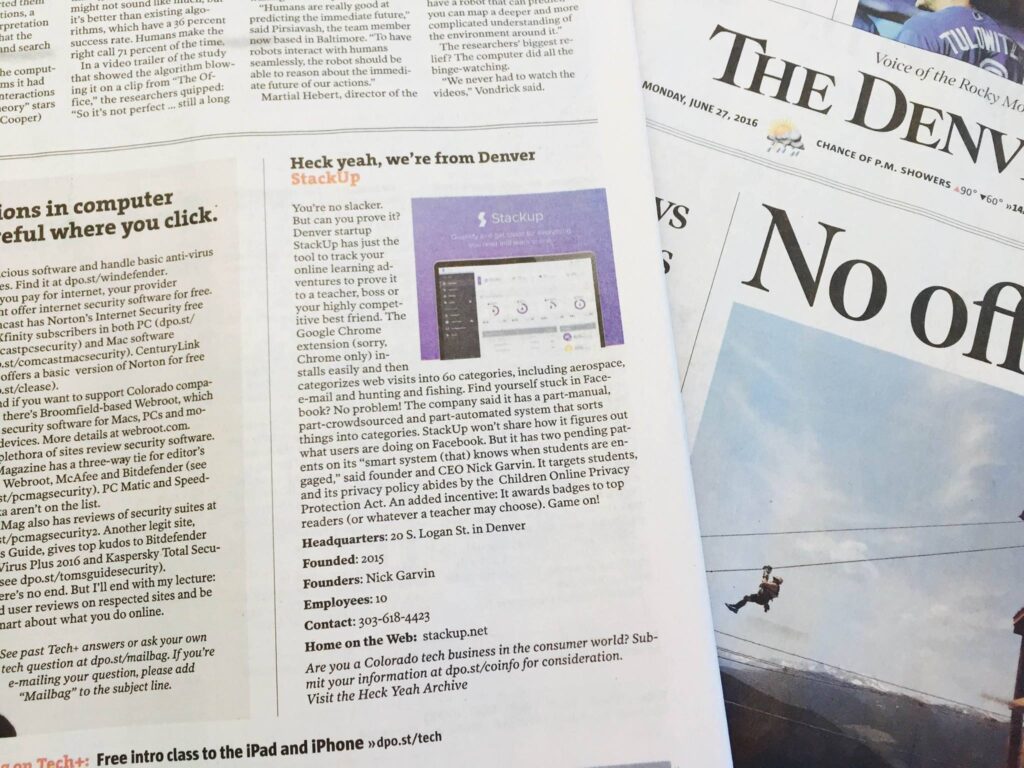
Denver Post Article
Media coverage highlighting the platform’s momentum and broader educational relevance.
The 80/95 Award
Recognition tied to the product’s impact and innovation in education.
FOX News Feature
Stackup was featured for its innovative approach to encouraging student reading.
Confidentiality Note
Portions of this case study have been generalized or omitted to respect client confidentiality and non-disclosure agreements. The information presented reflects work I am authorized to share publicly while preserving the integrity of proprietary data, internal processes, and sensitive business details.