
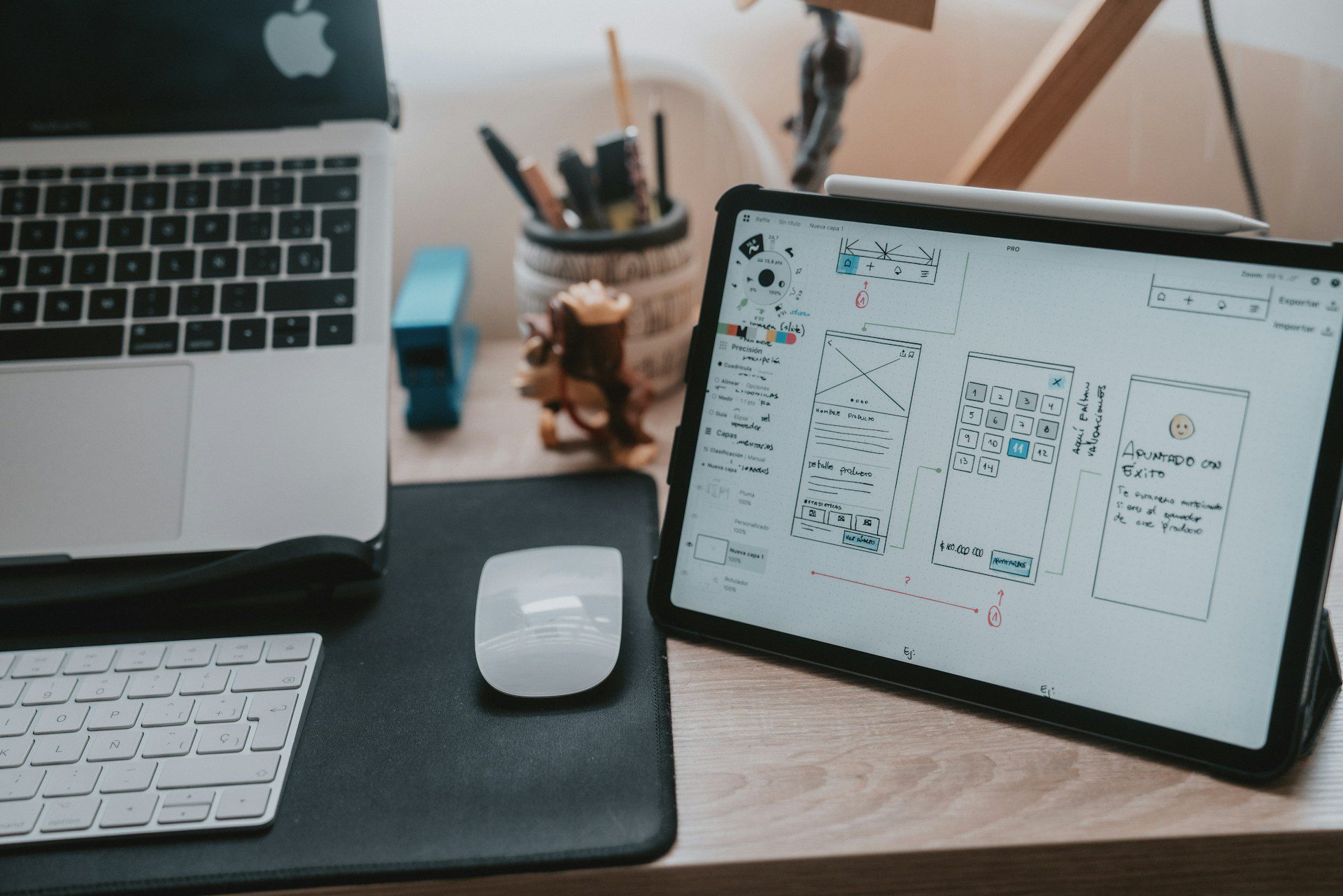
The journey from graphic design to UX/UI design is a rewarding but challenging transformation. While both fields prioritize creating visually appealing work, the approach, methodology, and end goals differ significantly. Graphic design emphasizes aesthetics, while UX/UI design centers around user experience, functionality, and interactivity. For graphic designers looking to transition into product design, understanding these differences and mastering new skills is essential.
Understanding the Core Differences
Designing for Different Canvases
Graphic designers often work with static, fixed-size canvases. In contrast, product designers must consider multiple devices and screen sizes. Responsive design is crucial in UX/UI, requiring designers to create flexible layouts that work across desktops, tablets, and mobile devices. Understanding how to design for various screen sizes and ensuring a consistent user experience is a fundamental skill for product designers.
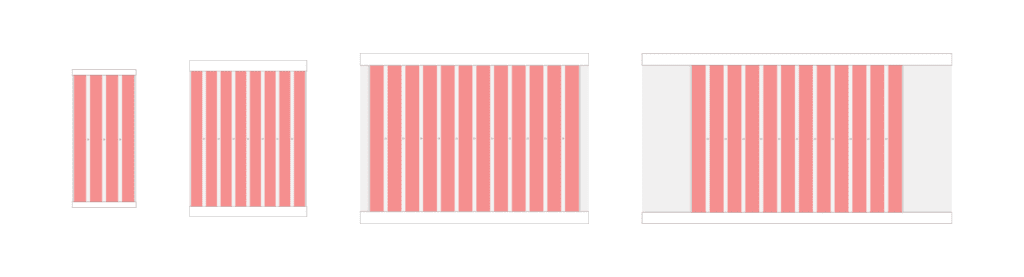
Caption: This illustration shows four different canvases — mobile, tablet, desktop, and wide screens — and their basic layout properties.
Focus on Functionality and User Experience
Graphic design is primarily about creating visually engaging content, such as logos, posters, and marketing materials. The emphasis is on aesthetics, typography, and visual harmony. In contrast, UX/UI design focuses on how a product feels and functions. It involves understanding user needs, creating intuitive interfaces, and ensuring a seamless user experience. The mantra of UX/UI design is “form follows function,” meaning that the design’s primary goal is to serve the user’s needs effectively before considering visual appeal.
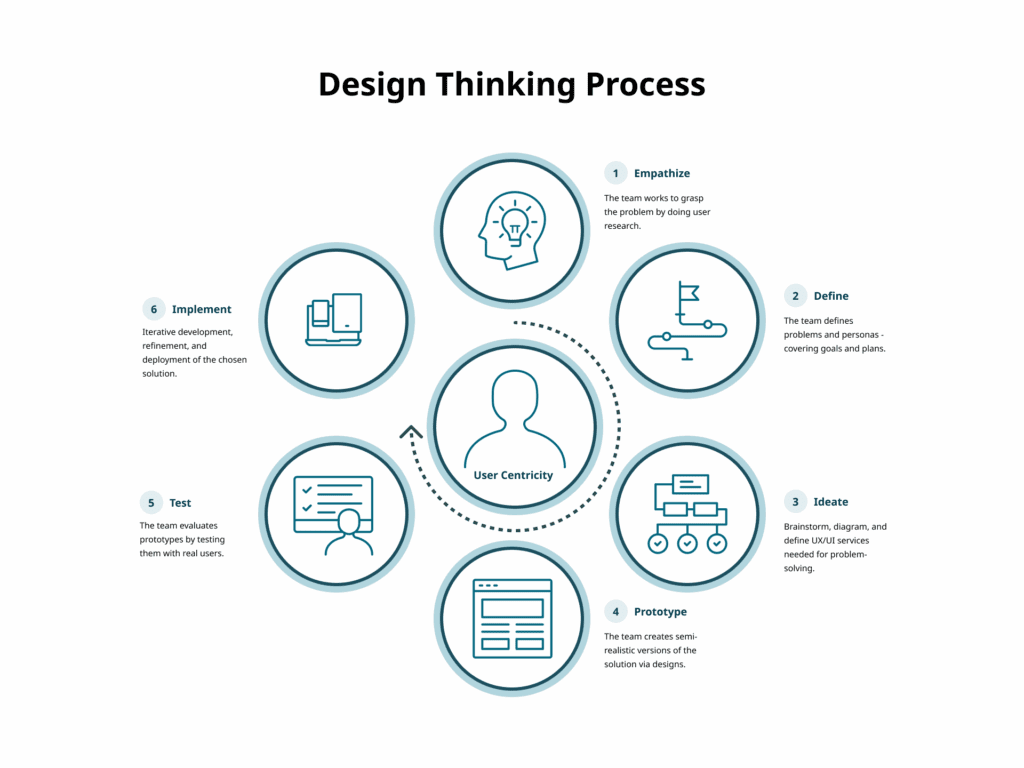
The Design Thinking Process
The UX/UI design process is more structured and iterative than traditional graphic design. It typically involves:
1. Empathize
Understand the needs, experiences, and challenges of users through research.
Techniques include:
- User interviews
- Observation
- Surveys and questionnaires
2. Define
Clearly articulate the problem you are aiming to solve.
Methods include:
- User personas
- Problem statements
- User journey maps
3. Ideate
Generate a wide range of ideas and potential solutions.
Techniques include:
- Brainstorming sessions
- Mind mapping
- Sketching
4. Prototype
Create simple and cost-effective versions of proposed solutions.
Methods include:
- Paper prototypes
- Digital prototypes using tools like Sketch or Figma
- Storyboards
5. Test
Evaluate prototypes with real users to gather feedback.
Methods include:
- Usability testing
- A/B testing
- Feedback sessions
6. Implement
Translate the final design into a functional product.
This involves:
- Design handoff with specifications and assets
- Collaboration with developers
- Quality assurance testing
- Launch
- Post-launch monitoring
Iteration
Design thinking is an iterative process. Based on feedback, designers may revisit previous steps to continually refine and improve solutions.
Learning the Technical Basics
One major difference between graphic and product design is the need for technical knowledge, particularly web technologies. Understanding HTML, CSS, and JavaScript is vital. While graphic designers often focus on pixel-perfect visuals, product designers must also consider technical constraints and browser behavior.
HTML (Hypertext Markup Language)
HTML defines structure and content.
Key basics:
- Common tags such as div, span, p, a, img, h1–h6, ul, ol
- Semantic HTML using header, footer, article, section
- Attributes like class, id, href, src
- Forms using form, input, label, button
CSS (Cascading Style Sheets)
CSS controls styling and layout.
Key basics:
- Selectors and properties
- The box model: content, padding, border, margin
- Flexbox and Grid for layout
- Responsive design with media queries

Caption: The CSS Box Model Module Level 3, provided by the W3C.
JavaScript
JavaScript adds interactivity.
Key basics:
- Syntax fundamentals and variables
- DOM manipulation using getElementById, querySelector, addEventListener, classList
- Event handling
- Libraries and frameworks such as jQuery or React
Mastering these foundations helps designers collaborate effectively with developers and build responsive, functional interfaces.
Building a UX/UI Skillset
Developing a robust UX/UI skillset is crucial. Visual design remains important, but expanding into research, architecture, interaction, and technical literacy is essential.
Key areas to develop:
- User research
- Information architecture
- Wireframing and prototyping with tools like Figma
- Interaction design principles
- Usability and accessibility
- Technical literacy in HTML, CSS, and JavaScript
Practical Steps to Transition
Transitioning can be challenging but manageable with a clear plan.
- Education and Training: Take UX/UI courses or workshops.
- Build a Portfolio: Redesign existing products or create new concepts that demonstrate your process.
- Get Mentored: Seek guidance and feedback from experienced UX/UI professionals.
- Gain Experience: Pursue internships or freelance projects to build practical skills.
Parting Words
Transitioning from graphic design to product design involves a shift in mindset, skillset, and process. By focusing on user experience, learning technical fundamentals, and embracing iterative design, graphic designers can successfully enter UX/UI. This evolution broadens your capabilities and enables you to create products that are both visually compelling and highly functional.
Key Takeaways
- Emphasis on User Experience: Functionality and interaction take priority over pure aesthetics.
- Designing for Multiple Devices: Responsive design is essential.
- Comprehensive Skillset: Expand beyond visuals into research, architecture, and technical literacy.
- Structured Design Thinking: Follow an iterative process of empathy, definition, ideation, prototyping, testing, and implementation.
- Technical Integration: Understanding HTML, CSS, JavaScript, and the box model is critical for building responsive digital products.
Leave a Reply